Imagine receiving a 50-page contract in German that you need to understand by tomorrow. Or perhaps you're expanding your business to Latin America and need to translate your entire product catalog into Spanish. Just five years ago, these scenarios meant expensive human translators and weeks of waiting.
Today? You can translate those documents in minutes using AI—and the quality is shockingly good. But here's the thing: not all AI translation tools are created equal, and using them incorrectly can lead to embarrassing mistakes or even legal issues.
In this guide, I'll show you exactly how to translate documents using AI the right way. We'll cover the best tools (both free and paid), step-by-step processes for different file types, and crucial tips to ensure your translations are accurate and professional.
- AI translation is 100x faster than human translation and costs 90% less
- Modern AI preserves formatting in PDFs, Word docs, and PowerPoint files
- DeepL leads in accuracy for European languages; Google Translate supports 130+ languages
- Always review AI translations for context, idioms, and technical terminology
- Enterprise tools offer GDPR compliance and data encryption for sensitive documents
01Why Use AI for Document Translation?
Let's be real—traditional document translation is painful. You send your files to a translation agency, wait 3-5 business days, and pay $0.10-$0.30 per word. For a 10,000-word manual, that's $1,000-$3,000 and nearly a week of your time.
AI translation flips this model completely:
- Cost: $0.10-$0.30 per word
- Time: 3-7 business days
- Availability: Business hours only
- Format: Manual reformatting needed
- Scalability: Limited by human capacity
- Cost: Free to $0.01 per word
- Time: Seconds to minutes
- Availability: 24/7 instant access
- Format: Automatic preservation
- Scalability: Unlimited volume
But speed and cost aren't the only advantages. Modern AI translation uses neural machine translation (NMT), which understands context, idioms, and cultural nuances far better than old word-for-word systems. When combined with AI-powered keyword research, you can even optimize translated content for local search engines.
02How AI Document Translation Actually Works
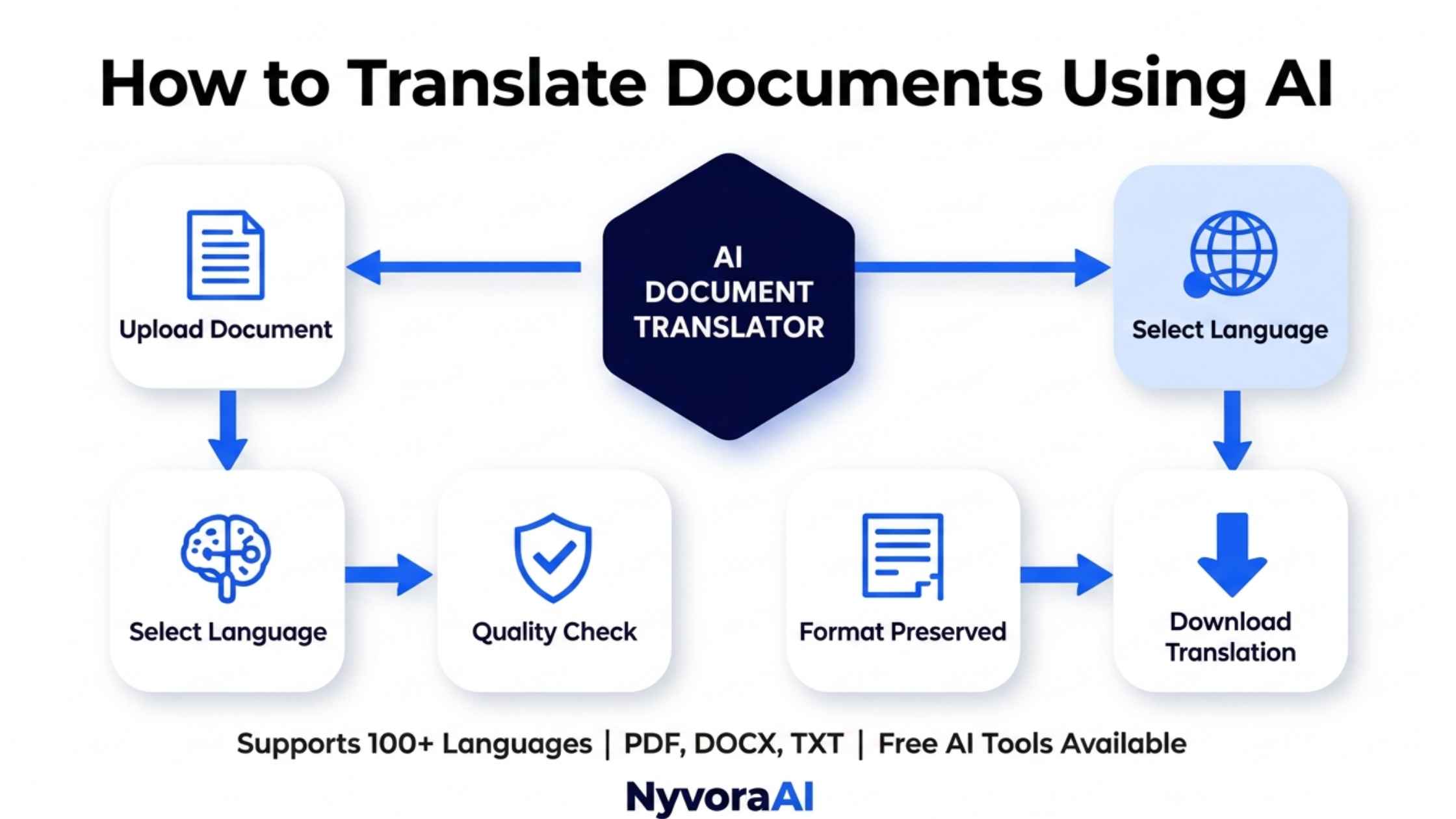
Understanding the technology helps you use it better. Here's what happens when you upload a document for AI translation:
Document Parsing
The AI extracts text while mapping the document structure—headers, paragraphs, tables, and images. Advanced tools recognize formatting codes in PDFs and Word documents.
Context Analysis
Unlike old translation tools, modern AI reads entire sentences (even paragraphs) to understand context. It identifies whether "bank" means a financial institution or a river edge.
Neural Translation
Deep learning models trained on billions of translated documents generate the translation. They consider grammar, syntax, and cultural appropriateness for the target language.
Format Reconstruction
The translated text is placed back into the original document structure, preserving fonts, layouts, images, and styling. This is where good tools separate from great ones.
The entire process takes seconds for a typical document. If you're curious about the underlying AI technology, check out our guide on AI inference vs training to understand how these models process your documents.
03Best AI Tools to Translate Documents
Not all translation tools handle documents equally. Some are great for quick text but destroy PDF formatting. Others excel at business documents but cost a fortune. Here's my tested breakdown:
Industry-leading translation quality, especially for European languages. Preserves formatting in Word, PDF, and PowerPoint files.
- 31 languages supported
- Unlimited document translation
- API access for automation
- GDPR compliant
- $6.99/month for Pro
Supports the most languages (130+) and handles basic document translation well. Great for quick, informal translations.
- 130+ languages
- Free for basic use
- PDF, Word, PowerPoint support
- Mobile app with camera translation
- Limited to 10MB files
Integrates seamlessly with Office 365. Excellent for enterprise use with advanced security and compliance features.
- 100+ languages
- Office integration
- Custom terminology databases
- Enterprise-grade security
- Part of Microsoft 365
Collaborative translation platform combining AI with human review. Perfect for marketing teams and content localization.
- AI + human workflow
- Translation memory
- Team collaboration tools
- 180+ languages
- Free tier available
Specialized in preserving complex PDF layouts. Uses Google Translate engine but with superior formatting retention.
- 100+ languages
- Perfect layout preservation
- No registration required
- Free for documents under 10MB
- API available
Built for software and app localization. Handles code strings, UI elements, and maintains context for developers.
- Developer-friendly
- Context-aware translation
- Version control integration
- Quality assurance tools
- Starts at $15/month
Pro Tip
For the best results, use DeepL for European languages, Google Translate for Asian/African languages, and Microsoft Translator if you're already in the Office 365 ecosystem. Many professionals use multiple tools and compare results for critical documents.
04Step-by-Step: How to Translate Documents Using AI
Here's my exact workflow for translating documents with AI. I use this for everything from client contracts to marketing materials:
Method 1: Quick Translation (Under 10 Pages)
For Google Translate:
- Go to translate.google.com
- Click "Documents" at the top
- Upload your file (PDF, DOCX, PPTX, or XLSX)
- Select source and target languages
- Click "Translate" and wait 10-30 seconds
- Download the translated file
For DeepL:
- Create a free account at deepl.com
- Click "Translate files" in the left sidebar
- Drag and drop your document
- Choose target language
- Download translated file (free tier: 3 files/month, 5MB max)
Method 2: Batch Translation (Multiple Files)
If you need to translate 20+ documents, manual uploading is insane. Here's how to automate:
- Use Smartcat or Lokalise: Create a project and upload all files at once
- Set translation memory: The AI learns from previous translations for consistency
- Apply glossaries: Define how specific terms should be translated (e.g., always translate "cloud" as "nube" not "nube informática")
- Run AI translation: Process all files simultaneously
- Review and export: Check critical sections and download all translated files
This workflow is similar to how you'd use AI to create YouTube content at scale—automate the repetitive stuff, focus your energy on quality control.
05How to Translate PDF Documents Without Losing Formatting
PDFs are the trickiest format. They're designed to look the same everywhere, which makes translation challenging. Here's how to do it right:
Best Practices for PDF Translation:
- Use DocTranslator or DeepL: These tools specialize in PDF layout preservation
- Check for scanned PDFs: If your PDF is an image (scanned document), ensure the tool has OCR (Optical Character Recognition)
- Review complex layouts: Tables, multi-column text, and text boxes sometimes shift. Always review the output
- Consider converting to Word first: For heavily formatted PDFs, convert to DOCX, translate, then convert back to PDF
If you're setting up an automated workflow for your business, you might want to set up an AI assistant for your business that can handle document translation requests automatically.
06How to Ensure Translation Accuracy
AI translation is impressive, but it's not perfect. Here's how to catch errors before they embarrass you:
Use Back-Translation
Translate your document to the target language, then translate it back to the original. Compare the back-translation with your original. Major differences indicate potential errors.
Check Technical Terms
AI struggles with industry-specific jargon. Create a glossary of key terms and verify they're translated correctly. For example, "machine learning" should be "aprendizaje automático" in Spanish, not "máquina de aprender."
Review Cultural Context
Idioms, humor, and cultural references often don't translate well. "Break a leg" shouldn't be translated literally. Use tools like Perplexity AI to research cultural appropriateness.
Get Human Review for Critical Content
Legal contracts, medical documents, and marketing materials should always have human review. Use AI for the first draft, then hire a native speaker for final proofreading.
07Real-World Business Applications
Here's how businesses are actually using AI document translation right now:
E-commerce Expansion
Online stores translate product descriptions, user manuals, and customer support docs into 10+ languages. One client translated 5,000 product listings from English to Spanish, French, and German in 2 hours using Smartcat—work that would have cost $15,000 and taken 3 months traditionally.
HR & Onboarding
Multinational companies translate employee handbooks, training materials, and policy documents. New hires receive onboarding materials in their native language immediately, not weeks later.
Legal & Compliance
Law firms use AI to quickly understand foreign-language contracts and documents. While final translations still require certified human translators, AI provides instant comprehension for initial reviews.
Content Marketing
Blog posts, whitepapers, and case studies get translated for international audiences. When combined with AI-powered SEO keyword research, you can optimize translated content for local search engines.
By the Numbers
Companies using AI document translation report: 85% cost reduction, 95% time savings, and the ability to enter new markets 10x faster. However, 73% still use human review for customer-facing content.
08Advanced: Automating Document Translation
Ready to level up? Here's how to automate translation workflows:
Using APIs for Automation
Most professional tools offer APIs. Here's a simple workflow:
- Set up a cloud storage folder (Google Drive, Dropbox)
- Use Zapier or Make.com to detect new files
- Send files to DeepL or Google Translate API
- Save translated files to a separate folder
- Notify your team via Slack or email
This is similar to how you'd create a chatbot for your website—set it up once, and it runs automatically forever.
Custom Translation Models
For enterprise needs, you can train custom AI models on your specific terminology. Microsoft Translator and Google Cloud Translation allow you to upload translation memories and glossaries to improve accuracy for your industry.
09Security & Privacy Considerations
Not all documents should go through free online translators. Here's what to watch for:
- Legal contracts
- Financial documents
- Personal data (GDPR protected)
- Proprietary business information
- Medical records
- DeepL Pro (GDPR compliant)
- Microsoft Translator (data encryption)
- Google Cloud Translation (enterprise tier)
- On-premise solutions for sensitive data
- Tools with data processing agreements
Free tools often store and use your documents to train their models. Enterprise tools offer data processing agreements (DPAs) and guarantee your files aren't stored or used for training.
10Frequently Asked Questions
What is the best AI tool to translate documents?
Can AI translate PDF files accurately?
Is AI document translation secure?
How much does AI document translation cost?
Can AI translate handwritten documents?
How accurate is AI document translation?
11Conclusion: Start Translating Smarter, Not Harder
Here's the truth: AI document translation isn't perfect, but it's good enough for 90% of use cases—and it's getting better every month. The question isn't whether to use AI translation; it's how to use it strategically.
Start with free tools like Google Translate or DeepL's free tier. Test them with your actual documents. Once you see the time and cost savings, you'll never go back to traditional translation for routine work.
For business-critical content, combine AI speed with human expertise. Use AI for the first draft, then have a native speaker review and polish. This hybrid approach gives you 80% of the cost savings while maintaining professional quality.
Remember, the goal isn't perfect translation—it's effective communication. And AI has made that accessible to everyone, from solo entrepreneurs to Fortune 500 companies.
Ready to break language barriers? Pick one document you've been putting off translating and try one of the tools mentioned above. You'll be amazed at what's possible in 2026.