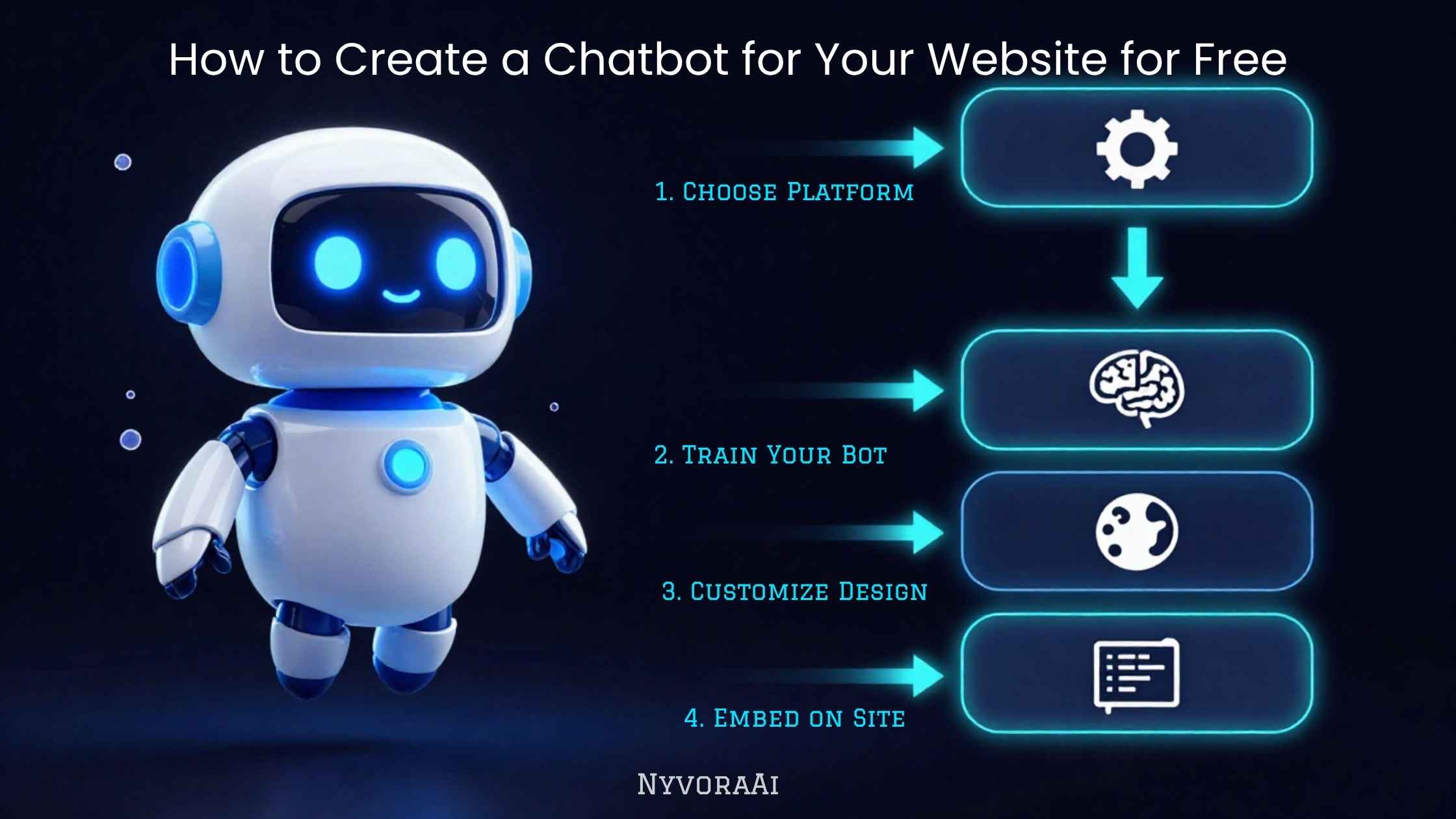
If you've been putting off adding a chatbot to your website because you assumed it meant hiring a developer or paying for an expensive platform, that assumption is out of date. In 2026, several genuinely capable tools let you build, train, and publish a chatbot without writing a single line of code — and without spending a rupee or a dollar to get started. The real question isn't whether you can afford a chatbot. It's whether you're picking the right free tool for what you actually need it to do, and whether you're setting it up in a way that makes visitors trust it instead of ignoring it.
This guide walks through the entire process the way we'd explain it to a friend starting from zero: what a free chatbot can realistically do for your site, which free platforms are worth your time, how to train it so it doesn't sound like a robot reading a script, how to get the widget live on your actual website, and how to test it properly before your first real visitor ever sees it. If you're also thinking about AI more broadly across your business, our guide on how to set up an AI assistant for your business is a useful companion piece once your website chatbot is live.
You can have a working, free chatbot on your website today if you follow this order.
- Pick a free tool that matches your actual need — FAQ answering, lead capture, or booking, not all three at once
- Free doesn't mean low quality — several platforms give real AI-powered responses at zero cost, at least on lower message volumes
- Training on your real content is what separates a chatbot people trust from one they close immediately
- Embedding takes minutes once you have the tool set up — it's usually one script tag
- Test with real questions before launch, and always leave a clear way to reach a human
01Quick Answer
To create a chatbot for your website for free, sign up for a no-code platform with a genuine free tier — Tidio, Tawk.to, Chatbase, or Landbot are solid starting points — build a short conversation flow or feed it your FAQ content, then copy the one-line embed script into your website's HTML, footer template, or page builder. Most people can have a basic version live in under an hour. The harder, more important part is training the chatbot on accurate information about your business and testing it with real questions before you point real traffic at it.
02Why a Free Chatbot Is Enough for Most Websites
There's a common assumption that "free" chatbot tools are stripped-down and unreliable compared to paid enterprise software. For most small businesses, solo creators, and local service providers, that isn't true anymore. The free tiers on today's leading chatbot platforms typically include a working AI or rule-based engine, a website widget, basic customization, and enough monthly conversations to cover a small-to-medium site comfortably.
The paid upgrades on these platforms mostly unlock higher conversation volume, advanced integrations, multiple team seats, and deeper analytics — things that matter once your traffic actually grows past what the free plan covers, not things you need on day one. Starting free lets you prove the chatbot is worth the eventual upgrade before you spend anything, which is exactly how a good AI rollout should work as part of a broader daily workflow using AI tools.
03What a Free Website Chatbot Can Actually Do
None of these need a paid plan to get started. What they need is a clear, narrow job — the same principle that applies across AI setups generally, whether you're building a customer-facing chatbot or using AI tools to create YouTube content for the same business.
04The Best Free Chatbot Builders, Compared
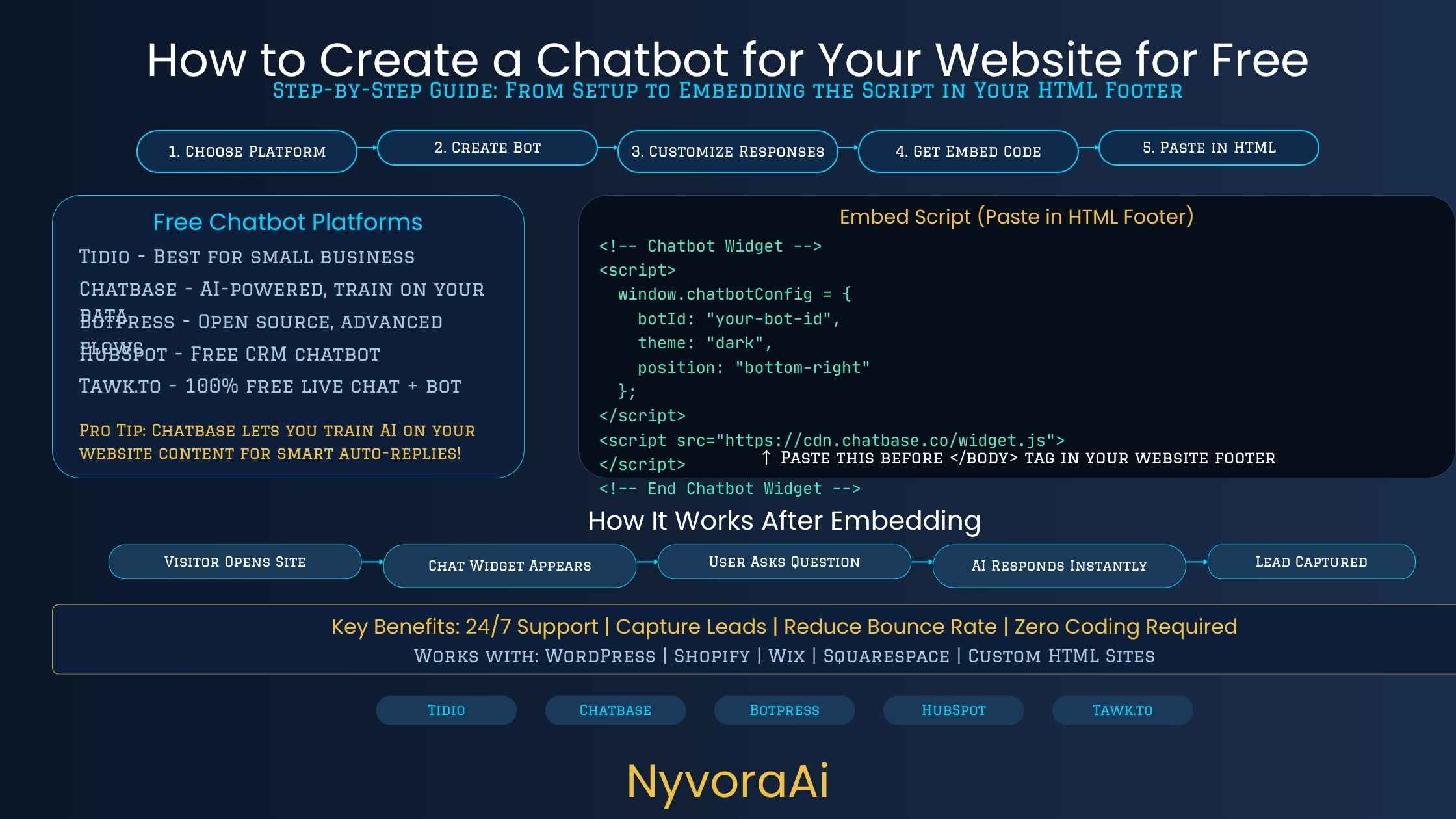
There's no single "best" free chatbot tool — the right one depends on how your website is built and what job you want the chatbot to do. Here's a straightforward comparison of the options worth trying first:
| Tool | Best For | Free Plan Includes | Setup Difficulty |
|---|---|---|---|
| Tidio | FAQ + live chat combo | 50 AI conversations/mo, visual flow builder | Very easy |
| Tawk.to | Fully free live chat widget | Unlimited agents, chat history, mobile app | Very easy |
| Chatbase | AI trained on your website content | Limited free messages, auto-trains on your URL | Light setup |
| Landbot | Visual conversation flows, lead forms | Free tier with basic flow builder | Light setup |
| Claude / ChatGPT + widget | Fully custom, open-ended answers | Free chat account, needs a simple embed step | Light setup |
A practical way to decide: if you mainly want to answer repeated questions with zero setup effort, start with Tidio or Tawk.to. If you want the chatbot to actually understand your website's content and answer open-ended questions in natural language, Chatbase is built specifically for that. If you're comfortable writing a short set of instructions yourself, pairing Claude with a basic embeddable chat widget gives you the most control over tone and accuracy — the same approach covered in our guide on how to use Claude AI for writing tasks, which is just as useful for writing chatbot scripts as it is for blog posts.
05Step-by-Step: Build a Free Website Chatbot in Under an Hour
Decide the one job it should do
FAQ answering, lead capture, or booking — pick one to start. Trying to cover everything on day one is the fastest way to end up with a confusing bot nobody trusts.
Create a free account on your chosen platform
Sign up with your business email. Most platforms ask for your website URL immediately and use it to pre-fill basic settings.
Build the flow or write the instructions
Use the visual builder to map out common questions and answers, or write a short set of instructions if you're using an AI-based tool like Claude or ChatGPT.
Customize the widget to match your brand
Change the colors, greeting message, and avatar so it looks like it belongs on your site instead of a generic plugin.
Copy the embed script into your website
Paste the provided code snippet before the closing </body> tag, or into your CMS's custom code section.
Test it, then publish
Run through the flow yourself as if you were a visitor, fix anything awkward, and only then let it go live to real traffic.
06Train It on Your Real Business — Don't Skip This
A chatbot that answers with vague, generic responses gets closed within seconds. The difference between a chatbot that visitors actually use and one that gets ignored comes down to how specifically it's been trained on your real business information — not the platform you picked.
At minimum, feed it your actual FAQ answers, your shipping or service area, your pricing structure (or a clear statement of when pricing needs a human), your tone of voice, and a list of things it should never claim or promise. If you're using an AI-trained tool like Chatbase, this usually means pointing it at your website URL or uploading a document. If you're using a flow-based tool like Tidio or Landbot, it means manually writing out your top ten to fifteen questions and answers rather than relying on generic templates.
Here's a simple structure that works whether you're writing flow content or an AI system prompt for a free chatbot:
Writing this out properly takes maybe thirty minutes, and it's the single highest-leverage step in the whole process. A well-trained free chatbot will consistently outperform a poorly-trained paid one.
07Embedding the Chatbot Widget on Your Website
Every major free chatbot platform gives you a small piece of JavaScript to copy and paste — you don't need to understand what the code does, just where to put it. If your site runs on WordPress, most platforms have a dedicated plugin that handles this automatically. If you're on Shopify, Wix, Squarespace, or a custom-built site, you'll usually paste the script into a "custom code," "header/footer," or "tracking scripts" section in your site settings.
If you built your site manually with plain HTML, paste the script tag right before the closing </body> tag on every page you want the chatbot to appear on — or in a shared footer include if your site uses one. After pasting the code, refresh your live site and confirm the chat bubble appears in the corner, usually the bottom right, exactly where visitors expect to find it.
A Small Detail That Matters
Set the chatbot to load asynchronously if the platform gives you the option. This keeps it from slowing down your page's initial load time, which matters both for visitor experience and for how search engines evaluate your site's mobile performance.
08Test It Properly Before Anyone Else Sees It
This is the step most people rush through, and it's the reason so many website chatbots give visitors wrong or awkward answers in their first week live. Before you announce the chatbot or send any traffic its way, sit down and act like a genuinely confused visitor. Ask it the questions people actually ask — including the ones with typos, the vague ones, and the ones slightly outside its intended scope.
- Ask it your real top ten FAQ questions and check every answer for accuracy
- Ask it something completely outside its scope and see what it does
- Try it on mobile, since most website visitors are on a phone, not a desktop
- Check that the "talk to a human" path actually works and reaches someone
- Have a colleague or friend try it without any guidance from you first
If you're building the chatbot as part of a bigger content and marketing push, worth reading alongside this is our piece on how to make money using AI tools in 2026, since a well-built free chatbot is also something service providers increasingly offer as a paid setup for other small businesses.
09Mistakes That Make Free Chatbots Fail
- Leaving the default greeting and flow untouched. Generic, unedited templates are the fastest way to make your chatbot feel like a plugin instead of part of your business.
- No escalation path to a real person. Every chatbot needs a visible, working way to reach a human — especially for complaints or anything account-specific.
- Training it on outdated information. Prices, hours, and policies change. A chatbot repeating last year's shipping times will actively damage trust.
- Ignoring mobile visitors. If most of your traffic is on phones, test the widget on mobile first, not last — a chat bubble that covers half the screen will get closed immediately.
- Never reviewing the conversation logs. Most free platforms show you what visitors actually asked. Check this weekly for the first month and update the chatbot's answers accordingly.
One Thing to Get Right From the Start
Make sure visitors know they're chatting with an AI, not a person, and give them a clear, one-click way to reach a human at any point. This builds trust immediately and is becoming a legal requirement in several regions — worth checking your own before launch.
Once the basics are working well, you can extend the same chatbot logic into other parts of your workflow — for example, using it alongside AI writing tools the way students already use AI to study for exams, applying the same "train it, test it, refine it" approach to a completely different use case.
10Frequently Asked Questions
Can I really create a chatbot for my website for free?
What is the easiest free chatbot builder for beginners?
Do free chatbots use real AI or just fixed scripts?
Will a free chatbot hurt my website's SEO or loading speed?
How long does it take to set up a free chatbot on a website?
11Conclusion
Creating a chatbot for your website for free isn't a stripped-down compromise anymore — it's a genuinely solid starting point that most small businesses never need to move past for months, sometimes years. The tools have matured, the free tiers are usable in real conditions, and the actual setup work — building the flow, embedding the script, testing with real questions — fits comfortably into a single afternoon.
What separates a chatbot visitors actually use from one that gets closed on sight isn't the platform you pick. It's how specifically you train it on your real business information, how honestly you test it before launch, and whether you keep a clear, visible path to a human for anything it can't handle. Get those three things right, and a completely free chatbot will do a genuinely useful job on your website starting today.
If this is your first AI tool for the business, it's also a natural entry point into the wider set of AI-assisted workflows worth exploring next — from customer support automation to content creation to internal admin — all of which follow the same simple pattern: start narrow, train it properly, test before you trust it, and expand once it's actually working.

Written by Varun Lalwani
Varun writes practical, beginner-friendly guides on AI tools and business workflows for NyvoraAI. Updated July 2026 based on hands-on testing of free chatbot platforms across several small business websites. Questions about your setup? Contact us — we're happy to help.