Here's something that happened to me recently. I was researching a topic for an article and had two tabs open — Perplexity on the left, Google on the right. Within about three minutes it became obvious they were giving me fundamentally different things. Google was handing me a list of twelve pages that might contain the answer. Perplexity had already read several of them and was giving me the answer directly, with citations sitting right there to verify.
That's kind of the whole comparison in miniature. But knowing how to use Perplexity AI vs Google for research properly goes deeper than "one reads for you and one doesn't." Each has tasks it genuinely handles better — and using them interchangeably, which most people do, is leaving a real chunk of research quality on the table.
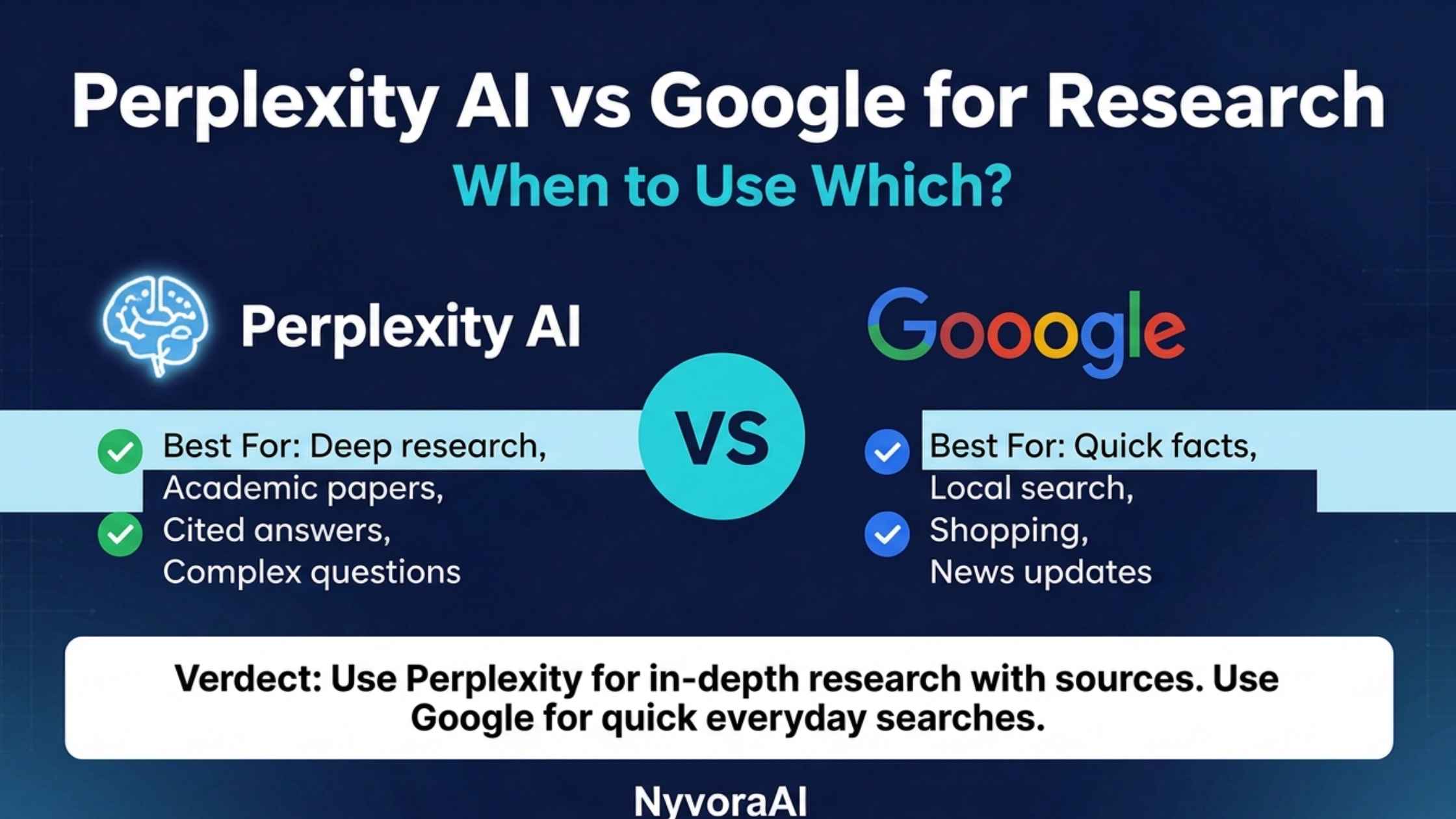
- Perplexity synthesises — it reads sources and writes you a summary with citations. Google lists sources for you to read yourself.
- Google still wins for local, shopping, and very recent news — Perplexity's real-time coverage has improved a lot but Google's index depth is still unmatched.
- Perplexity citations don't guarantee accuracy — always click through on anything you plan to publish or act on.
- The strongest workflow combines both — Perplexity for synthesis and overview, Google for source verification and depth.
- Perplexity is genuinely better for complex multi-part questions — the kind where you'd normally be tabbing between five open pages.
01How Each Tool Actually Works Under the Hood
You can use both tools every day without ever thinking about this, but understanding the difference in how they work changes how you use them. It's not complicated — it just matters.
Google is fundamentally a link retrieval system. It crawls and indexes the web, and when you search, it returns a ranked list of documents it thinks are relevant to your query. You get the list. The reading is up to you. The AI features layered on top of Google search — the AI Overviews, the summaries — are relatively recent additions sitting on top of this foundational architecture, and they're still improving.
Perplexity works differently from the start. It takes your query, runs searches against the live web, and then uses a large language model to read those results and synthesise them into a single coherent answer — with numbered citations you can click directly. You don't get a list of pages to evaluate. You get a synthesised response with the sources sitting right there. The research happens in the tool, not on your end.
Neither approach is objectively better. One offloads the synthesis work to the AI. The other gives you raw material and leaves the synthesis to you. The question is which one matches what you're actually trying to do at any given moment. And once you've got a good overview using Perplexity, taking that context into your writing is much smoother — our guide on how to use AI to write blog posts faster shows exactly how to bridge that research-to-draft stage without losing quality.
02Where Each Tool Genuinely Wins
Built for synthesis
- Reads multiple sources and gives you one coherent answer
- Numbered citations let you verify each claim instantly
- Handles complex multi-part questions without you tabbing between pages
- Great for topic overviews when you're entering unfamiliar territory
- Follow-up questions stay in context — you can drill down naturally
- Pro version includes file upload, useful for document-based research
- Less cluttered by SEO-optimised content designed to rank, not inform
Built for source access
- Unmatched index depth — billions of pages, including very niche ones
- Local results (restaurants, services, maps) still far superior
- Shopping, prices, and product availability are a genuine Google strength
- Breaking news and events from the last few hours show up reliably
- Image and video search has no real Perplexity equivalent
- You control which sources you read — useful when source credibility matters
- Better for brand/site navigation searches
03Real Research Scenarios: Which Tool to Reach For
Let's be practical. Knowing which is better in theory is less useful than having a clear sense of what to reach for in real situations.
"Explain how mRNA vaccines work and their long-term safety data"
This is a multi-source synthesis question. Perplexity will pull from medical journals, health organisations, and news coverage and give you a readable summary with citations — far faster than reading six separate pages yourself.
"Best ramen restaurant near me open now"
Local search is Google's territory entirely. Maps, reviews, hours, current availability — Perplexity has no real answer here. Open Google Maps and you're done in thirty seconds.
"What are the main differences between React, Vue, and Svelte in 2026?"
A comparison question with no single "right" web page to visit. Perplexity will synthesise from developer docs, community discussions, and benchmark articles into something coherent. Google would send you to read each framework's site separately.
"Sony WH-1000XM6 cheapest price India"
Live pricing, availability, and shopping comparisons need Google's Shopping tab. Perplexity might give you a price from its training data or a cached page — which could be outdated by the time you're reading it.
"What's the current research consensus on intermittent fasting for weight loss?"
Research consensus questions are Perplexity's sweet spot. It'll synthesise recent studies and expert positions into a nuanced overview — the kind of thing that would otherwise take twenty minutes of reading to piece together yourself.
"India election results today"
If something is happening right now, Google News is still faster and more comprehensive for very fresh coverage. Perplexity has improved its real-time indexing but Google's News tab is purpose-built for this.
04Interactive: Which Tool Should You Use?
Not sure which to open for your next research task? Answer these quick questions to get a recommendation.
Quick Research Tool Picker
Click an answer for each question — your recommendation appears below
05Head-to-Head Comparison Table
| Research Task | Perplexity AI | Winner | |
|---|---|---|---|
| Topic overview and synthesis | Excellent — reads and summarises multiple sources | You do the reading yourself | Perplexity |
| Cited sources in the answer | Built in — numbered citations every time | AI Overviews sometimes cite; standard search doesn't | Perplexity |
| Local business / map results | Very limited | Best in class | |
| Live pricing / shopping | Not reliable for live prices | Dedicated Shopping tab | |
| Breaking news (last few hours) | Improving but inconsistent | Google News is faster and deeper | |
| Complex multi-part questions | Handles naturally in one answer | Requires multiple searches and tabs | Perplexity |
| Image / video search | No dedicated functionality | Best available | |
| Follow-up and conversational research | Contextual follow-ups work well | Each search starts fresh | Perplexity |
| Niche / technical topics | Good with well-sourced topics | Broader index, finds more obscure pages | Depends |
| Cost | Free tier is solid; Pro is paid | Free | Tie |
06How to Use Both Tools Together in a Research Workflow
Honestly, the most effective researchers don't pick one and ignore the other. They use Perplexity to get up to speed fast, then use Google to go deeper in specific directions. Here's roughly how that looks in practice.
Start in Perplexity. Ask your main question in full — not a keyword, an actual question. Let it synthesise the landscape and give you a grounding overview. Read the answer, note which citations look most authoritative, and jot down the specific angles or sub-questions it raises.
Then switch to Google for the depth work. Open the Perplexity citations you most want to read in full. Search for specific statistics or claims you want to verify independently. Look for the most credible primary sources on the narrower angles Perplexity surfaced. This is also the point where Google's broader index earns its value — finding that one academic paper or niche forum thread that didn't show up in Perplexity's synthesis.
The Two-Minute Research Start
For any new research topic, spend two minutes asking Perplexity your main question before opening Google at all. You'll arrive at Google with a mental model of the topic already, which makes you far better at evaluating what you find. It changes what you search for and which results you click.
This workflow scales up well. If you're doing research for an article, Perplexity gives you the overview and angles worth exploring, Google gives you the source depth and verification, and together they cut the total research time considerably. Our step-by-step guide on how to build a daily workflow using AI tools shows how to make this kind of two-tool approach a consistent habit rather than something you think about each time. And if you're using this research for content creation or freelance work, using AI for freelance writing jobs covers how to wire research tools into a professional content process.
For social content, the same research workflow applies — Perplexity for the quick topic overview, Google for verification and fresh angles. Our breakdown of using AI for social media step-by-step shows how to take research outputs and turn them into social posts efficiently.
07Accuracy, Verification, and When to Double-Check
Here's the part a lot of enthusiastic Perplexity write-ups skip. The citations are a massive help. They mean you can verify each claim in about ten seconds by clicking through. But Perplexity is still an AI synthesising from sources — and AI synthesis can introduce errors, miss nuance, or occasionally misread what a source actually says.
There's a useful rule of thumb: if the stakes are low (you're satisfying personal curiosity, or you're just trying to understand a topic for yourself), Perplexity's cited summary is probably enough. If the stakes are higher — you're writing something for publication, making a financial decision, citing a statistic in a professional document — click through and verify every key claim against the original source directly.
Getting into the habit of verification is exactly what our guide on how to fact-check AI-generated content covers in full. The short version: treat AI synthesis the way you'd treat a smart colleague's summary — useful and usually reliable, but not a replacement for reading the original when accuracy matters. This also connects to improving the quality of what you ask in the first place — our guide on how to write better prompts for AI tools is worth reading alongside this, because the quality of Perplexity's synthesis is directly tied to how well you phrase your research question.
08Frequently Asked Questions
How to use Perplexity AI vs Google for research?
Is Perplexity AI better than Google for research?
Does Perplexity AI give accurate answers?
Can I use Perplexity AI for free?
What is the main difference between Perplexity and ChatGPT?
When should I still use Google instead of Perplexity?
Can Perplexity AI help with blog or content research?
Perplexity and Google aren't competing for the same job. They never really were. One synthesises a web full of information into a readable, cited answer you can act on immediately. The other gives you access to that web in raw form, with the organisation, currency, and breadth that only Google's index can provide. Knowing that distinction — and reaching for the right tool based on what you actually need at any given moment — is what separates researchers who feel like AI is genuinely changing how they work from people who tried it, found it occasionally useful, and quietly went back to their old habits. Use both. Use them intentionally. That's really the whole secret.

Written by Varun Lalwani
Varun writes practical guides on AI tools for researchers, writers, and people who want to actually get more done — not just read about it. Questions? Get in touch here.