A lot of small business owners feel like AI assistants are something that only bigger companies with IT departments can properly set up and use. That gap in confidence is understandable — the marketing around AI tools is often either aimed at enterprise buyers or at complete beginners who just want to chat with a bot. The middle ground, where most actual businesses live, doesn't get covered as clearly.
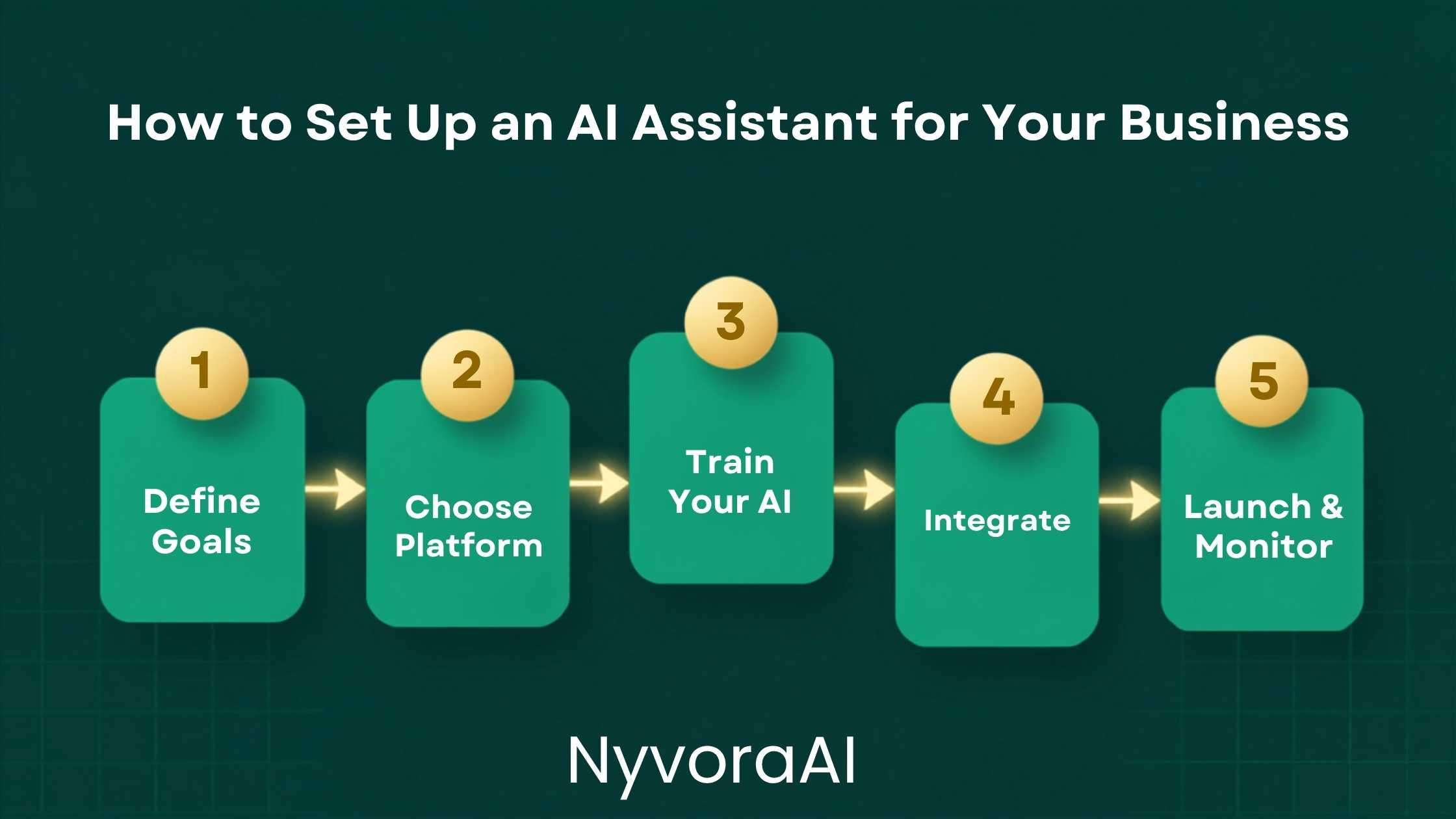
So let's be direct about what setting up an AI assistant for your business actually involves in 2026. You pick a tool that fits the specific job you need done. You give it enough context about your business that it responds in a way that actually reflects your brand and your processes. You connect it to whatever existing tools your team uses. You test it properly before it touches a customer. Then you monitor it and adjust as you go. That's the whole process — and none of those steps require technical skills or a dedicated budget beyond what most small businesses already spend on software subscriptions.
The businesses getting the most from AI assistants start narrow and expand slowly — not the other way around.
- Start with one specific use case rather than trying to solve everything at once
- The system prompt is the most important configuration you'll write — it shapes every response
- You don't need code — most modern platforms are fully no-code with intuitive setups
- Test with real scenarios before any customer interaction, not hypotheticals
- Always keep a human escalation path — some conversations need a real person every time
01The Quick Answer
If your business gets the same ten questions over email or chat every week, an AI assistant can answer them reliably in seconds — without you typing the same thing again. If your team spends time drafting the same types of documents, reports, or messages repeatedly, an AI assistant can do the first draft in a fraction of the time. Those are the two categories where the value shows up immediately and the setup is genuinely simple.
For customer-facing use: pick a platform, write a clear system prompt that explains what your business does, what questions to answer, how to answer them, and when to escalate to a human. Connect it to your website or messaging channel. Test it with twenty real questions. That's it for version one. You refine from there.
02Define the Job Before You Touch Any Tool
This is the step that separates the businesses whose AI assistants actually get used from the ones that spend a week setting something up and abandon it three days later. Before you look at a single platform or write a single line of configuration, write down in plain language what you want the AI assistant to do and — just as importantly — what you don't want it to do.
Be specific. "Handle customer queries" is too broad to configure around. "Answer questions about our delivery times, return policy, and product sizing — and tell customers to email us at support@ for anything else" is something you can actually build. The narrower the initial scope, the faster you'll get something useful, and the easier it'll be to spot when it's not working correctly.
A practical way to define this: spend twenty minutes going through the last month of customer emails or chat logs. Write down every question that appeared more than twice. That list is your AI assistant's starting job description. Everything on it is fair game to automate. Everything that required real judgment, specific account information, or a sensitive conversation stays with a human for now.
03The Most Useful Business Use Cases Right Now
There are a few categories where AI assistants consistently deliver value quickly for small businesses. Each one has a slightly different setup requirement, so knowing which one you're building for helps you choose the right tool and write the right configuration.
04Choose the Right Tool for the Job
The tool you need depends almost entirely on where the AI assistant needs to live and what it needs to connect to. Here's a practical breakdown rather than a comprehensive software comparison:
| Use Case | Good Starting Tool | Technical Need | Approx. Cost |
|---|---|---|---|
| Website chat | Intercom, Tidio, Crisp with AI | None | $30–$100/mo |
| Internal Q&A | Notion AI, Guru, or Claude API | Light setup | $10–$50/mo |
| Content drafting | Claude or ChatGPT with custom instructions | None | $20/mo |
| Email handling | Front, Help Scout with AI features | None | $25–$75/mo |
| Workflow automation | Make or Zapier + AI action step | Light setup | $20–$60/mo |
One thing worth noting: you don't have to buy a specialised AI platform immediately. For many small businesses, starting with a well-configured Claude or ChatGPT account with custom instructions — and training your team to use it for specific tasks — produces real value before you commit to any paid integration. Start there, find out what you actually need, then upgrade the stack once you know it's working.
05Train It on Your Business — This Is Where Most People Cut Corners
The single biggest difference between an AI assistant that actually represents your business and one that gives vague, generic answers is how well it's been given context about who you are. This step feels like admin work, but it's really the core of the setup — everything else is just plumbing.
You need to give the AI at minimum: what your business does and who it serves, the tone and language style your brand uses, the specific questions it should answer and how, what it should always avoid saying, and when it should hand off to a human. The more specific each of these is, the better the output will be. "We're friendly but professional" is less useful than "We use first names, we don't use exclamation marks, we never make promises about timelines without checking with the team first."
If the AI assistant will be answering factual questions about your products, policies, or processes, it also needs access to that actual information — either pasted into its system prompt or pulled from a connected knowledge base. An AI that doesn't have access to your real return policy will hallucinate a plausible-sounding one. Our guide on how to fact-check AI-generated content covers why this matters and how to catch errors before they reach customers.
06Write a Strong System Prompt — The Most Important Thing You'll Configure
If you're setting up a customer-facing AI assistant, the system prompt is the instruction sheet the AI reads before every single conversation. It determines the persona, the scope of what it will answer, the tone it uses, and what it does when it hits the edge of its knowledge. Writing it well is genuinely the most impactful thing you'll do in the entire setup process.
Here is a practical structure that works well for most small business customer support assistants:
Writing this well comes down to one question: would a brand-new employee, reading only this document, know how to handle the ten most common situations your customers bring? If yes, the system prompt is working. If not, keep refining it. The quality of the prompting you give the AI shapes everything it produces — our guide on how to write better prompts for AI tools is worth reading before you finalise any system prompt configuration.
07Connect It to Your Existing Workflow
An AI assistant that lives in a separate tab that nobody remembers to check won't help anyone. For it to actually save time, it needs to sit inside the tools your team already uses — or replace a manual step in an existing process so clearly that adoption happens naturally.
The integrations that tend to stick quickest: connecting an AI assistant to your website's live chat widget so it's the first response before a human picks up; connecting it to your email inbox so it drafts replies that a human approves and sends; or adding it to your internal communication tool as a bot that answers common policy or process questions from staff. Any of these can be set up without code on most modern platforms using simple drag-and-drop connectors.
If you already have a tool like Zapier or Make running automations in your business, you can add an AI step into an existing workflow fairly easily — for example, an automation that picks up a new customer inquiry, passes it to Claude or GPT, gets a draft response, and drops it into your inbox for approval before sending. That kind of light integration saves time on every single inquiry without fully removing the human from the loop.
For businesses that also want AI help on the content and social side, our step-by-step guide to using AI for social media covers how to connect AI tools to social scheduling workflows specifically. And for any business producing written content at scale, the guide to using AI to write blog posts faster is relevant to that side of the setup.
08Test Properly Before You Deploy
This step is skipped more often than any other — and it's the reason AI assistants end up giving customers wrong information, weird responses, or no response at all when an edge case comes up. Testing an AI assistant before deployment doesn't mean clicking through a demo. It means sitting down with a list of twenty to thirty real questions — including the weird ones, the angry ones, and the ones where the answer involves a judgment call — and seeing exactly what the AI does with each one.
Test with your top 20 real questions
Pull actual examples from your support history. Don't use hypotheticals — real questions expose gaps that neat examples don't.
Try to break it deliberately
Ask it something outside its scope. Ask it to make a promise. Ask it about a competitor. See what it does at the edges of its configuration.
Have someone who knows your business review it
A team member who deals with customers daily will spot tone issues and wrong information faster than you will. Fresh eyes catch things the setup person misses.
Run a soft launch with low-stakes traffic first
Don't deploy immediately to your highest-volume channel. Start with a quieter touchpoint, observe the real interactions, and adjust before scaling.
09Mistakes That Derail Business AI Setups
Most of the failures in small business AI assistant deployments come from a small number of avoidable mistakes. The most common ones, and how to dodge them:
- Trying to cover too many use cases at once. The businesses that get the fastest, cleanest results always start with one narrow job and get it right before expanding. Deploying an AI that's supposed to handle customer support, booking, internal HR questions, and content drafting simultaneously usually means it does none of those things well.
- Skipping the knowledge base. An AI that doesn't have your actual policies, prices, and product details will invent plausible-sounding answers. Those invented answers reach customers. That's a serious trust issue. Feed it your real information.
- No escalation path. Every customer-facing AI assistant needs a clear, immediate path to a human for any situation involving a complaint, a billing issue, or a distressed customer. An AI that tries to handle everything without escalating will frustrate people who need a real conversation.
- Setting it and forgetting it. AI assistants need periodic review — at minimum once a month in the first few months. New products, changed policies, and common new questions all need to be reflected in the configuration. The setup isn't a one-time event.
- Not telling your team it exists. If your team doesn't know what the AI assistant does and doesn't do, they can't handle escalations properly or update the system prompt when something changes.
One Thing to Get Right From Day One
Build in a way for customers to know they're talking to an AI, and a simple way to request a human, from the very first message. Transparency builds trust and prevents the frustration that comes when a customer realises mid-conversation they've been talking to a bot they thought was a person. This is increasingly a legal requirement in some regions, not just good practice.
If you're looking to build AI assistance into a broader daily business workflow rather than just one specific touchpoint, our guide on how to build a daily workflow using AI tools covers how to structure that systematically. For businesses where writing is a core deliverable — agencies, consultants, freelancers — our guide on how to use AI for freelance writing is relevant to how you position and price the writing work your AI-assisted team produces.
A Setup Habit Worth Building
Keep a simple log of every conversation your AI assistant gets wrong or handles awkwardly. Review it weekly for the first month, use it to update the system prompt, and you'll find the quality improves faster than any other approach. The log is your debugging tool — don't skip it.
10Frequently Asked Questions
Do I need technical skills to set up an AI assistant for my business?
How much does it cost to set up an AI assistant for a small business?
Can an AI assistant handle customer service for my business?
How long does it take to set up an AI assistant for a business?
What is the biggest mistake businesses make when setting up AI assistants?
11Conclusion
Setting up an AI assistant for your business is less of a technical project and more of a thinking project. The actual configuration — writing the system prompt, connecting the tool, testing the responses — is straightforward once you know what job you're asking the AI to do and what good output looks like for your specific context. The hard part is defining that clearly enough before you start.
Start with one narrow use case. Write a system prompt that gives the AI your actual business context, not just vague instructions. Test it with real scenarios before any customer sees it. Review and update it monthly. That approach — simple, focused, iterative — is what consistently produces AI assistants that actually save time and represent the business well rather than creating new problems to manage.
The businesses doing this well right now didn't deploy a sophisticated AI system on day one. They started with something small, got it right, and expanded from there. That's still the fastest way to get to something genuinely useful — and it's within reach of any business, regardless of size or technical capability.

Written by Varun Lalwani
Varun writes practical, beginner-friendly guides on AI tools and business workflows for NyvoraAI. Updated June 2026 based on hands-on experience setting up AI assistants across several small business contexts. Questions about your setup? Contact us — we're happy to help.