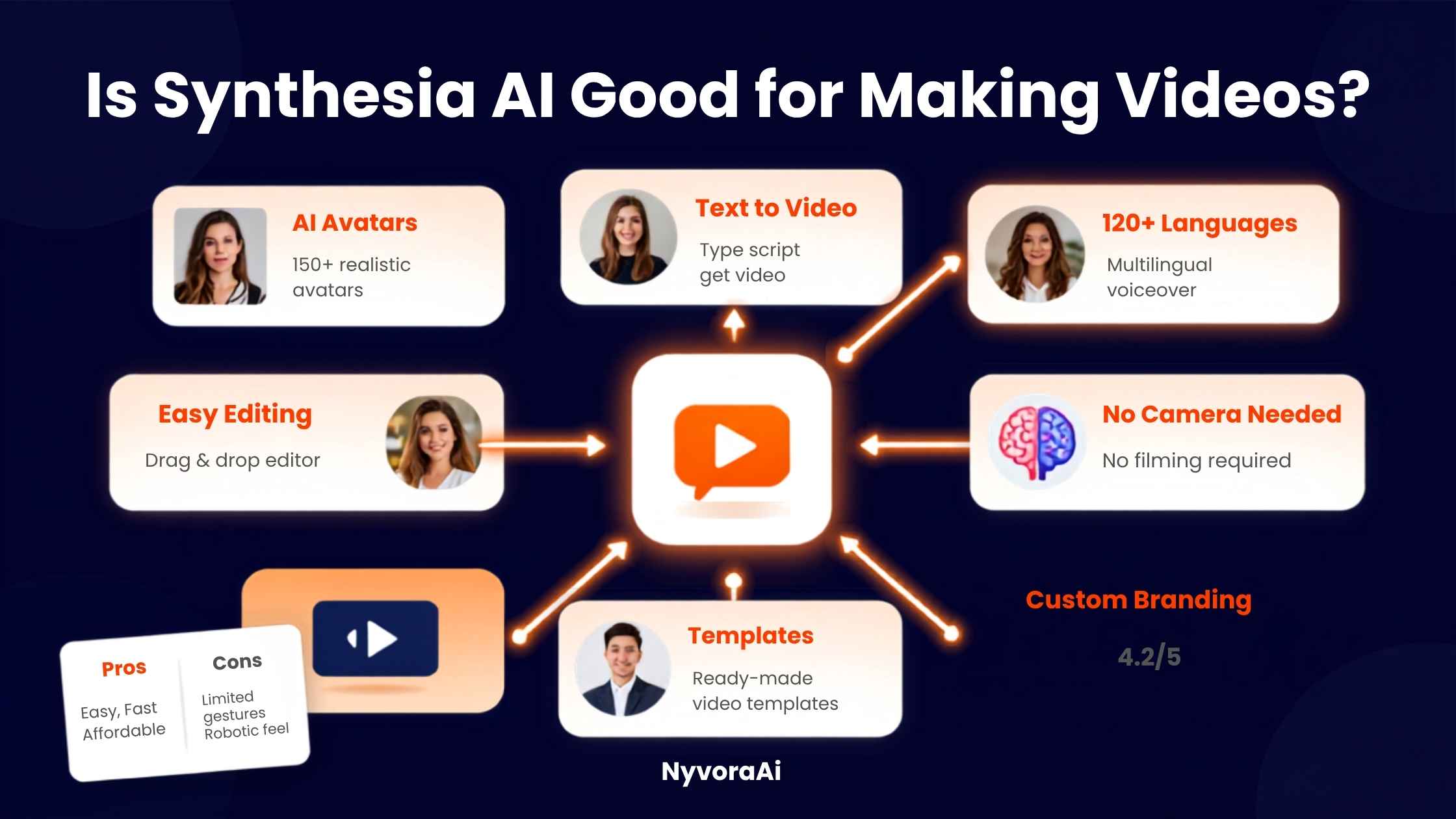
If you've spent any time researching AI video tools, you've almost certainly run into Synthesia. It's the name that keeps coming up whenever the conversation turns to AI avatars — the photorealistic presenters who read a script on camera without a real person ever standing in front of a lens. It's also one of those tools that gets recommended so often that it's easy to assume it's the right pick for everyone. It isn't. Synthesia is genuinely excellent at a fairly specific job, and knowing whether that job matches yours is really the whole question.
Synthesia AI is good for making videos — but mostly a specific kind of video.
- Best fit is structured, script-driven content like training, onboarding, and internal communications
- Avatar realism is strong but imperfect — occasional uncanny-valley moments in gestures and lip sync still show up
- Pricing is metered by video minutes per month, not a flat unlimited subscription, so usage caps matter
- Multi-language support is a genuine standout, letting one script become dozens of localized videos
- It's weaker for emotionally driven marketing, where real, human-recorded footage still tends to perform better
01Quick Answer
Yes, Synthesia AI is good for making videos when your goal is scalable, script-based content: training modules, onboarding walkthroughs, internal company updates, product explainers, and multilingual communications. Its realistic avatars, wide language coverage, and document-to-video workflow make it dramatically faster than filming with a real presenter for these use cases. Where it's less convincing is anything that leans on genuine human emotion or persuasion — sales videos, brand storytelling, or ad creative — where audiences tend to notice the artificial delivery, and real, imperfect footage often still outperforms a polished avatar.
02What Synthesia AI Actually Is
Synthesia is an AI video generation platform built around a simple workflow: you write or paste a script, choose an AI avatar and voice from its library, and the platform generates a full presenter-style video with synced lip movement, natural-sounding narration, and a background of your choosing. There's no camera, no microphone, and no editing timeline to learn in the traditional sense. It also includes an AI assistant that can turn an existing document, PDF, or slide deck into a structured video outline automatically, which is genuinely useful if your starting point is a policy document or a training manual rather than a blank script.
The platform has leaned hard into the enterprise side of this market. It offers well over 200 stock avatars representing a wide range of nationalities and age groups, support for narration in more than 100 languages, and one-click video translation that dubs an existing video into a new language with matching lip movement. Teams can also create a "personal avatar" — a digital likeness trained on footage of a real presenter — so the same person can appear to deliver videos they never actually recorded.
The clearest way to understand who Synthesia is actually built for is to look at where it shows up most: learning and development teams maintaining compliance training that changes every quarter, HR departments rolling out the same onboarding video in a dozen regional languages, and product teams that need a consistent explainer video updated every time a feature changes. In every one of those cases, the value isn't really the avatar itself — it's how fast a script can be edited and regenerated without booking a studio, a presenter, and an editor all over again. That operational speed, more than the novelty of an AI face, is what tends to justify the subscription for teams that actually stick with it.
03What Actually Matters When Judging an AI Avatar Tool
Weigh these against the video you're actually trying to make. A twelve-minute compliance training module and a fifteen-second social ad have almost nothing in common in terms of what "good" looks like, even though both are technically "AI video."
04Synthesia AI Pricing & Alternatives, Compared
| Tool | Best For | Typical Starting Price | Standout Strength |
|---|---|---|---|
| Synthesia | Enterprise training & localization | Free plan; paid plans from roughly $18-29/mo | 160+ language dubbing |
| HeyGen | Social & marketing-style avatar clips | Free plan; paid from ~$29/mo | Faster, casual-style output |
| Colossyan | LMS-integrated corporate training | From ~$25/mo | Learning-platform integrations |
| D-ID | Simple photo-to-talking-head clips | From ~$6/mo | Lowest entry price |
| Filmora | Broader creative editing with AI tools | From ~$8/mo | Real footage + effects flexibility |
Synthesia's paid tiers are metered by video minutes generated each month rather than a flat unlimited plan, and unused minutes typically don't roll over, so it pays to estimate your real monthly output before committing to a tier. The free plan is enough to properly test the avatar quality and workflow before spending anything, and annual billing generally brings the effective monthly cost down noticeably compared to paying month-to-month. If your priority is turning existing business documents into training content at scale, Synthesia's document-to-video assistant and enterprise features like SCORM export for learning platforms are hard to match — but they're also the features most likely to be locked behind the higher, custom-priced tier.
05Getting Started With Synthesia AI in Five Steps
Start with the free plan first
Test avatar realism and voice quality on your own script before paying anything — this alone tells you if the fit is right.
Write a script built for narration, not reading
Short sentences and natural pauses translate into noticeably better pacing and lip sync than dense written paragraphs.
Pick an avatar that matches your context
A more formal avatar suits compliance training; a casual one suits an internal team update — mismatches feel off immediately.
Use the document import for existing content
Feed in a PDF, deck, or policy document instead of starting from a blank page whenever one already exists.
Review every video before publishing
Watch the full output for lip-sync drift or odd gestures on longer sentences before it goes anywhere near an audience.
06Where Synthesia AI Genuinely Falls Short
- Avatars can still hit the uncanny valley. Facial expressions and hand gestures occasionally look slightly off on longer, more emotional sentences.
- Video-minute pricing creates a hard cap. Teams that underestimate their monthly output run into plan limits at inconvenient moments.
- Persuasive content is a weak spot. Sales and ad-style videos with a real presenter often outperform a polished avatar in direct comparisons.
- Some enterprise features sit behind custom pricing. SCORM export and full video translation are commonly locked to the Enterprise tier.
- It doesn't fix a weak script. Synthesia accelerates production; it doesn't replace the instructional design or messaging work that makes a video actually useful.
Disclose AI Avatars in Public-Facing Content
If a video uses an AI avatar or a cloned personal avatar for anything customer-facing, disclose that clearly. It builds trust with your audience, and an increasing number of platforms and regions expect this kind of transparency by default.
07Turning One Synthesia Video Into More Content
Once a Synthesia video is finished, the underlying script and footage can fuel more content than most people initially plan for. If you want to cut the finished video into short clips for social platforms, our breakdown of the best free AI video tool in 2026 covers solid options for that specific step without adding another paid subscription. Cover images and supporting graphics for the video's landing page matter too — our review of whether Canva AI is good for design beginners is a useful next read for building simple, consistent visuals, and if you need something more polished specifically, our piece on whether Midjourney is worth the subscription in 2026 covers a higher-end option worth considering.
The script you wrote for Synthesia can also become the base for written content elsewhere — a blog post, an email sequence, or a support article. Our comparison of Copy.ai and how it compares to Jasper is worth reading if you're regularly turning video scripts into written copy at volume. And since Synthesia's document-to-video workflow overlaps with how people process recorded meetings, our review of whether Otter AI is good for meeting notes is a helpful comparison if you're deciding between tools for capturing and structuring source material before it ever reaches a script. If podcast-style narration is part of your production mix too, our guide on the best AI tool for podcast editing rounds out the audio side of the same workflow.
A Habit Worth Building
Keep a short library of scripts that performed well and note which avatar and pacing choices matched them. Reusing that pattern across future videos noticeably cuts down the trial-and-error of picking a new avatar and tone for every single script.
08Mistakes People Make Before Subscribing
- Assuming it replaces a real presenter everywhere. It's strongest for structured, informational content, not persuasion-heavy marketing.
- Underestimating monthly video-minute needs. Map out realistic monthly output before picking a tier, since usage caps hit fast at scale.
- Skipping the script rewrite for narration. Pasting dense written text straight in produces noticeably worse pacing than a script written to be spoken aloud.
- Publishing without a full review. Lip-sync and gesture issues are easy to miss on a quick skim but obvious to viewers watching the full video.
- Ignoring disclosure expectations. Using an avatar without any disclosure on public-facing content can quietly damage audience trust once it's noticed.
09Frequently Asked Questions
Is Synthesia AI good for making videos?
Is Synthesia AI free to use?
How much does Synthesia AI cost?
Do Synthesia AI avatars look realistic?
What is the best alternative to Synthesia AI?
10Conclusion
So, is Synthesia AI good for making videos? For the specific job it was built for — turning a script or document into a polished, multilingual, presenter-style video without a camera or crew — yes, genuinely. Its avatar library, language coverage, and document-to-video workflow save real time for teams producing training, onboarding, and internal communications at volume. Where it's a weaker fit is anything that depends on authentic human warmth to persuade or connect, and it's worth testing the free plan against your own script before assuming either way.
The honest takeaway is that Synthesia isn't a universal replacement for every kind of video, and it was never trying to be. Match the tool to the job — structured, script-heavy, and scalable — and it earns its reputation quickly. Try to force it into emotionally driven storytelling, and the gap between an avatar and a real presenter becomes obvious fast. Know which video you're actually making, and the right answer for your team becomes a lot clearer. If you're still on the fence, the free plan costs nothing to try, and running your own script through it for ten minutes will usually tell you more than any review, including this one.

Written by Varun Lalwani
Varun writes practical, beginner-friendly guides on AI tools and business workflows for NyvoraAI. Updated July 2026 based on hands-on research into the current AI video generation landscape. Questions about your setup? Contact us — we're happy to help.