Otter AI has been around long enough to become almost synonymous with "AI meeting notes" the way Zoom became synonymous with video calls. That reputation is earned in a lot of ways, but it's worth separating what Otter is genuinely excellent at from what's just brand recognition, especially once you look closely at its pricing tiers and the caps that come with each one.
Otter is a genuinely strong meeting notetaker with real limits worth knowing before you commit.
- Transcription accuracy and speaker identification are consistently well-regarded, even for group calls
- The free plan is restrictive — 300 minutes a month with a 30-minute cap per conversation
- Language support is limited to English, French, and Spanish as of 2026
- Sales-specific features are Enterprise-only, pricing out small teams that want CRM automation
- It's a strong entry point, but heavy daily users often outgrow it faster than expected
01Quick Answer
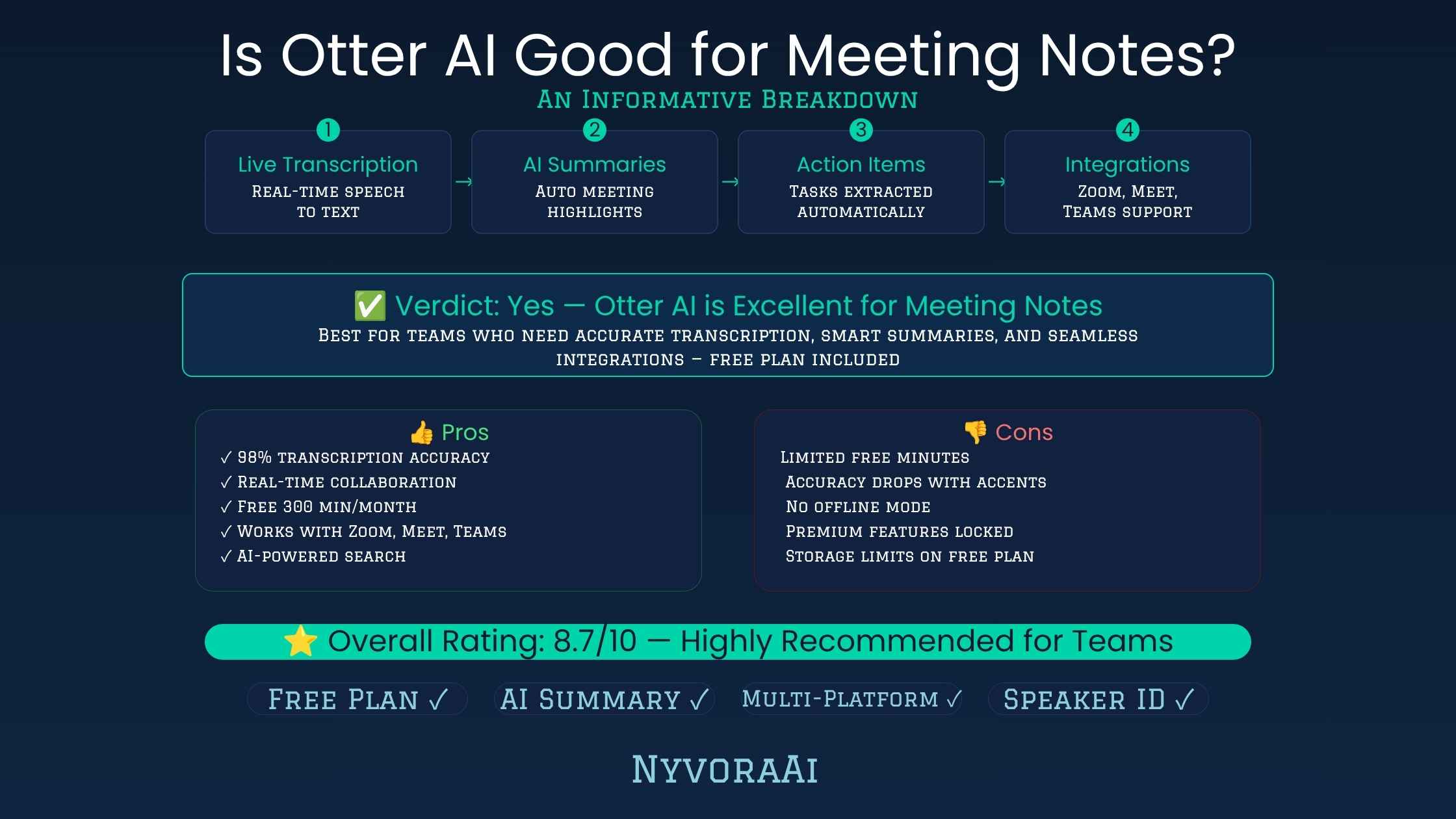
Yes, Otter AI is good for meeting notes for most everyday use cases. It joins Zoom, Google Meet, and Microsoft Teams calls automatically, provides accurate real-time transcription with speaker identification, and generates a usable summary with action items shortly after the call ends. Where it becomes less ideal is at higher usage volumes: the free plan's 300-minute monthly cap and 30-minute per-conversation limit get used up fast, language support is currently limited to English, French, and Spanish, and its more advanced sales and CRM automation features are locked behind the custom-priced Enterprise tier. For light-to-moderate meeting volume, it's a strong, reliable choice; for heavy daily use or multilingual teams, it's worth comparing against alternatives first.
02What Otter AI Actually Does
Otter AI is an AI meeting assistant that joins your video calls as a visible participant, records the audio, and produces a real-time transcript as the conversation happens. Once the meeting ends, it generates a structured summary, highlights key discussion points, and can identify action items and assign them to specific people. It integrates directly with Zoom, Google Meet, and Microsoft Teams, so in most cases you don't need to do anything beyond scheduling the meeting and letting Otter's bot join automatically.
Beyond the basic transcript-and-summary loop, Otter has expanded into collaboration features — teams can highlight sections, leave comments, and search across past meetings by keyword, which is genuinely useful once you've accumulated a few months of meeting history and need to find something specific from a call you don't remember the exact date of.
03Key Features, Broken Down
04Otter AI Pricing in 2026
| Plan | Price | Monthly Minutes | Per-Meeting Cap |
|---|---|---|---|
| Basic (Free) | $0/month | 300 minutes | 30 minutes |
| Pro | ~$8.33/mo annual, $16.99/mo monthly | 1,200 minutes | 90 minutes |
| Business | ~$19.99/mo annual, $30/mo monthly (per user) | Unlimited | 4 hours |
| Enterprise | Custom pricing | Custom | Custom |
The free Basic plan is genuinely useful for testing transcription quality and trying the Zoom or Meet integration, but the 30-minute per-conversation cap means anything longer than a short standup gets cut off mid-recording unless you restart it manually. It's also worth noting the free plan only allows 3 file imports for the lifetime of the account, not per month — once you've used them, importing pre-recorded audio requires an upgrade.
Watch the Per-Meeting Cap, Not Just the Monthly Total
Even on paid plans, Otter caps how long a single conversation can run before you need to start a new recording. If your meetings regularly run past 90 minutes on Pro, factor that into which plan you actually need — the monthly total isn't the only limit that matters.
05Where Otter Genuinely Delivers
Transcription accuracy is where Otter earns most of its reputation, and it holds up well in practice — speaker identification is generally reliable even in group calls with several participants, and the real-time transcript is accurate enough that you can follow along live instead of only reviewing it afterward. The native integrations with Zoom, Google Meet, and Microsoft Teams are also genuinely seamless; once connected to your calendar, the bot joins scheduled meetings automatically without any extra steps.
The searchable transcript archive is another underrated strength. Once you've built up a few months of meeting history, being able to search across every past call by keyword — instead of trying to remember which meeting a specific decision came up in — turns out to be one of the features people miss most when they switch to a tool without it.
06Where It Falls Short
- Limited language support. As of 2026, Otter transcribes English, French, and Spanish — a real limitation for multilingual teams compared to some competitors.
- Restrictive free plan. The 300-minute monthly cap and 30-minute per-conversation limit make the free tier a genuine test drive rather than a usable long-term option.
- Sales features locked behind Enterprise. CRM sync and call coaching tools that smaller sales teams would benefit from most are only available at custom Enterprise pricing.
- Customer support complaints. A recurring theme in user reviews is slower-than-expected support response times, particularly on lower-tier plans.
- Pro plan minutes were reduced. Some long-time users have noted Pro's monthly minute allowance dropped from a higher figure without a corresponding price decrease, which is worth checking against current terms before committing to annual billing.
07Who Otter Is Actually Right For
Freelancers and solo professionals
Moderate meeting volume fits comfortably within the Pro plan's 1,200-minute monthly allowance.
Small teams needing shared meeting archives
The Business plan's unlimited meeting transcription removes the anxiety of tracking monthly minutes across a team.
Students documenting lectures
Otter even offers a student and teacher discount on Pro, making it a genuinely affordable option for coursework.
Not multilingual teams
Teams regularly meeting in languages outside English, French, or Spanish should look elsewhere for reliable transcription.
Not budget sales teams wanting CRM automation
If CRM sync and coaching insights matter but Enterprise pricing doesn't fit your budget, a competitor built around those specific features may serve you better.
08What to Do With Your Meeting Notes Afterward
A transcript is only useful once it turns into something actionable. If your meetings regularly produce content that needs to become a blog post, internal report, or client-facing document, feeding your Otter transcript into a writing-focused AI tool like Jasper or comparing it against Copy.ai can turn a raw transcript into a polished draft far faster than starting from a blank page.
If a meeting surfaces a topic that needs further digging before your next follow-up, pairing your notes with a dedicated research tool speeds up that next step — our review of whether Perplexity AI is good for research covers a strong option for that specific need. And before any summary goes out to a client or wider team, running it through a grammar and clarity check is worth the extra minute; see our review of whether Grammarly AI is good for writers for that final polish step.
If your meeting recap needs to become a visual summary — a one-pager, a slide, or a quick graphic for a stakeholder update — pairing your notes with an image tool closes that last gap; our piece on whether Midjourney is worth the subscription in 2026 is worth a look if visuals are a regular part of how you share meeting outcomes.
A Small Habit Worth Building
Right after a meeting ends, spend two minutes skimming Otter's auto-generated summary and correcting anything it misattributed or missed. Doing this consistently keeps your searchable archive genuinely reliable months later, instead of accumulating small errors you only notice when you need the record most.
09Mistakes People Make Evaluating Otter
- Judging it only on the free plan. The Basic tier's caps make it feel more limited than the paid plans actually are — test Pro before ruling Otter out.
- Forgetting the per-meeting time cap. Even on paid tiers, long meetings can hit the per-conversation limit before the monthly minute total does.
- Assuming sales features are included everywhere. CRM sync and coaching tools are Enterprise-only — check this before assuming Pro or Business covers your sales team's needs.
- Not checking language support first. Multilingual teams should confirm Otter covers their working languages before committing to an annual plan.
- Skipping the two-minute post-meeting review. Auto-generated summaries are good but not perfect — a quick check keeps your record accurate over time.
10Frequently Asked Questions
Is Otter AI good for meeting notes?
Does Otter AI have a free plan?
How much does Otter AI Pro cost?
What languages does Otter AI support?
What are the best alternatives to Otter AI for meeting notes?
11Conclusion
Is Otter AI good for meeting notes? For most people with a reasonable meeting load, yes — the transcription accuracy, speaker identification, and native calendar integrations genuinely save time and reduce the mental load of trying to take notes while also participating in the conversation. Where it gets more complicated is at the edges: heavy daily meeting volume, multilingual teams, and sales teams wanting CRM automation on a budget all run into real limits that are worth checking against your specific situation before committing to an annual plan.
The practical move is starting with the free Basic plan to test transcription quality and the Zoom or Meet integration on a real meeting, then upgrading to Pro once you know your actual monthly minute usage. If your language needs, sales features, or meeting length regularly bump against Otter's caps, it's worth a quick comparison against alternatives before locking into annual billing — but for straightforward meeting documentation, Otter remains one of the more reliable names in the category for good reason.

Written by Varun Lalwani
Varun writes practical, beginner-friendly guides on AI tools and business workflows for NyvoraAI. Updated July 2026 based on hands-on research into Otter AI's current pricing, limits, and features. Questions about your setup? Contact us — we're happy to help.