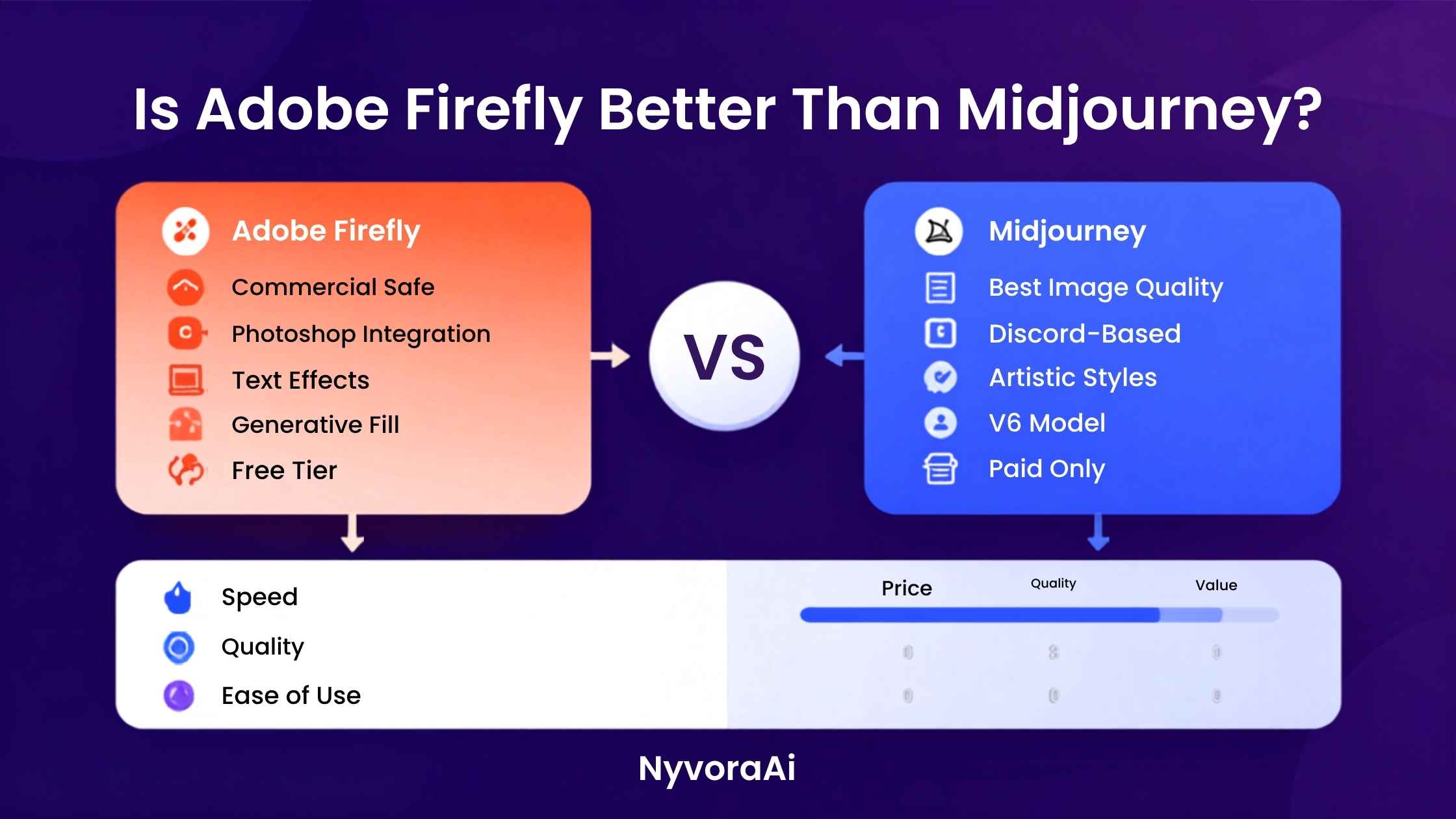
Adobe Firefly and Midjourney both generate images from text prompts. That is roughly where the similarity ends. The models behind them were trained differently, optimised for different outputs, and built for different audiences. Firefly was designed with commercial safety and creative workflow integration in mind — it lives inside Adobe's ecosystem and was trained on licensed content to avoid the IP concerns that plagued earlier AI image tools. Midjourney was built for creative quality first, and the results consistently reflect that priority.
Neither tool is objectively better in every situation. The question that matters is which one is better for your situation — and that depends on whether commercial licensing, creative quality, ease of use, or existing workflow integration matters most to you. This comparison covers all four.
Midjourney wins on creative image quality. Firefly wins on commercial safety and Adobe integration. Most professional workflows will eventually want both.
- Midjourney produces more artistically impressive results for creative and editorial work
- Adobe Firefly is safer for commercial use and integrates directly with Photoshop and Illustrator
- Firefly is easier for beginners — no Discord, plain interface, familiar Adobe UI
- Midjourney requires a subscription; Firefly has a limited but usable free tier
- The real choice is between creative ambition and commercial practicality — not raw capability
01The Quick Answer
If you're a designer, marketer, or business creating visuals for commercial use and you live in the Adobe ecosystem, Firefly is the safer, more practical choice. The commercial licensing is clean, the output drops directly into Photoshop, and you don't need to learn Discord commands to use it.
If you're a creator, artist, or anyone whose primary goal is visually striking, artistically rich imagery — and commercial licensing is either not a concern or handled separately — Midjourney still produces the more impressive results in most categories. The quality gap has narrowed, but Midjourney's creative ceiling remains higher for expressive work.
If you can only pick one and you don't have a clear workflow preference, start with Firefly. The free tier gives you enough generations to test properly, the learning curve is almost flat, and the output has improved enough in 2026 that the quality gap for most everyday use cases is smaller than it was a year ago.
02A Quick Overview of Each Tool
03Image Quality — Who Actually Looks Better?
This is where Midjourney holds its clearest advantage. Across almost every aesthetic category — portraits, landscapes, concept art, illustrations, surreal compositions — Midjourney V7 produces results that feel more intentional and visually compelling than Firefly. The lighting, composition, and textural detail that Midjourney generates from a well-written prompt are genuinely impressive in a way that Firefly hasn't fully matched yet.
That said, the gap has closed. Firefly 3, released in 2025 and updated through 2026, is meaningfully better than its predecessors at producing photorealistic images, clean product photography, and design-appropriate graphics. For stock-photo-style commercial imagery, Firefly is genuinely competitive. Where it still falls behind is in anything that requires a distinctive artistic style, strong mood, or complex compositional choices.
A useful way to think about it: Midjourney feels like it has a strong aesthetic opinion. Firefly feels more like it's trying to produce a correct result. Both can be valuable depending on what you're making.

04Commercial Licensing — The Area Where Firefly Wins Clearly
This is the most important category for anyone using AI images in a professional context. Adobe trained Firefly exclusively on licensed Adobe Stock content and public domain images, and Adobe has explicitly committed to indemnifying enterprise customers against copyright claims on Firefly-generated content. For a legal team, a marketing department, or any client-facing use case, that is a significant reassurance.
Midjourney's commercial licensing situation is more complicated. Paid subscribers can use generated images commercially, but the training data questions that have surrounded AI image generators in general remain less resolved. If your company's legal team is involved in approval for AI-generated assets, Firefly's cleaner IP story is a real practical advantage — not a minor footnote.
A Note on IP Risk
The commercial IP situation around AI-generated imagery is still evolving legally in multiple jurisdictions. Adobe's approach of training on explicitly licensed data and offering enterprise indemnification makes Firefly the more defensible choice for any business with significant legal exposure. If this matters to your organisation, verify the current terms directly with Adobe before making commitments.
05Ease of Use — Not Even Close
Adobe Firefly wins this category comfortably. It has a clean web interface, uses natural language prompts that don't require learning a specific command syntax, and for Adobe Creative Cloud subscribers, it appears directly inside Photoshop and Illustrator where you're already working. The generative fill and generative expand features inside Photoshop — which use Firefly under the hood — are genuinely magical to use and require essentially no prompting skill.
Midjourney traditionally required using Discord, which is a genuinely odd onboarding experience for something being used in professional contexts. The dedicated web app improved significantly through 2025 and 2026, but learning Midjourney still requires understanding prompt parameters, aspect ratio flags, and style references before you can reliably produce what you're imagining. That learning curve pays off in creative quality — but it is a real barrier that Firefly simply doesn't have.
06Pricing — What You Actually Pay
Adobe Firefly has a free web tier with a limited monthly credit allowance. It's enough to properly test the tool and produce occasional outputs, but not enough for consistent professional use without subscribing. Creative Cloud subscribers — who are already paying for Photoshop, Illustrator, or the full suite — receive a generous monthly credit allocation included in their existing plan, which makes Firefly effectively free at the margin for many professionals already in the Adobe ecosystem.
Midjourney has no free tier as of 2026. All access requires a paid subscription starting at a basic monthly plan, with higher tiers unlocking faster generation, more monthly generations, and commercial use rights. For someone already paying for Creative Cloud, adding Midjourney is a separate subscription cost on top. For someone who isn't in the Adobe ecosystem, Midjourney's standalone plan is actually competitive in pricing relative to what you get.
For a more detailed breakdown of whether Midjourney's subscription is worth the cost relative to alternatives, our dedicated review of whether Midjourney is worth subscribing to in 2026 covers that question in full — including who should and shouldn't pay for it.
07Workflow Integration — Where Firefly Has No Real Competition
If your workflow runs through Adobe software — and for a huge portion of designers, photographers, and content teams, it does — Firefly's integration is genuinely transformative in ways that a standalone tool like Midjourney simply cannot match. Generative fill in Photoshop lets you select any part of an image and ask Firefly to replace, extend, or modify it with AI in a way that is seamlessly non-destructive. Generative expand lets you outpaint beyond the edges of any image. Vector generation in Illustrator using Firefly produces scalable AI graphics natively.
None of that is possible with Midjourney in the same integrated way. You can generate something in Midjourney and bring it into Photoshop, but the round-trip loses the seamless back-and-forth that makes Firefly genuinely useful as part of a design workflow rather than just a generation tool you use separately.
If your work lives primarily outside Adobe's ecosystem — if you're using Figma, Affinity, or producing content primarily for social and digital rather than print and brand work — this advantage narrows considerably. Canva has also integrated AI tools that serve a similar seamless purpose for non-Adobe users. For a comparison of how AI integrates into design tools aimed at non-professionals, our review of whether Canva AI is good for design beginners is worth reading alongside this comparison.
08Full Score Breakdown
09Who Should Use Which Tool
One thing worth noting: using both tools in tandem is increasingly common among professional designers in 2026. Generate a striking hero image in Midjourney, then bring it into Photoshop and use Firefly's generative fill to extend the canvas, adjust backgrounds, or add elements that match the original style. That combination gives you Midjourney's creative ceiling and Firefly's editing precision in the same workflow.
If you're building a broader AI creative stack beyond just image generation, our reviews of the best free AI video tools in 2026, whether Otter AI is good for meeting notes, and the best AI tool for podcast editing cover how the rest of the creative AI toolkit fits together. For writing and content tools alongside image generation, our comparison of Copy.ai versus Jasper and our look at whether Notion AI is worth adding to your workflow are useful reading for the full picture.
10Frequently Asked Questions
Is Adobe Firefly better than Midjourney?
Can I use Adobe Firefly images commercially?
Is Midjourney still the best AI image generator in 2026?
Does Adobe Firefly work without a Creative Cloud subscription?
Which is easier to use, Firefly or Midjourney?
11Conclusion
Neither Adobe Firefly nor Midjourney is universally better — and framing the comparison that way misses the point. Firefly is the better tool if commercial safety, Adobe integration, or ease of use is your priority. Midjourney is the better tool if creative quality and artistic range matter most. For many professional workflows in 2026, the real answer is learning to use both: Midjourney for the creative generation that requires a strong visual opinion, and Firefly for the editing, extension, and production work that benefits from living natively inside Photoshop.
If you're starting out and can only choose one, begin with Firefly. The free tier gives you real access, the learning curve is minimal, and the quality has improved enough that the creative ceiling difference will only matter once you've pushed past the basics. When you hit that ceiling — and if you're serious about AI image work, you will — Midjourney will be waiting, and everything you learned about prompting in Firefly transfers directly.

Written by Varun Lalwani
Varun reviews AI tools for NyvoraAI with a focus on practical usability, honest limits, and real workflow impact. This comparison was updated in June 2026 based on hands-on testing with both Firefly 3 and Midjourney V7. Questions? Contact us anytime.