Almost every business has one of these: a task nobody enjoys but everyone has to do. Re-typing the same numbers into two systems. Copying a customer's details from an email into a spreadsheet. Chasing down an invoice, checking it against a purchase order, then keying it in by hand. None of it is hard, exactly — it's just slow, repetitive, and one distracted afternoon away from an error that someone else has to clean up later.
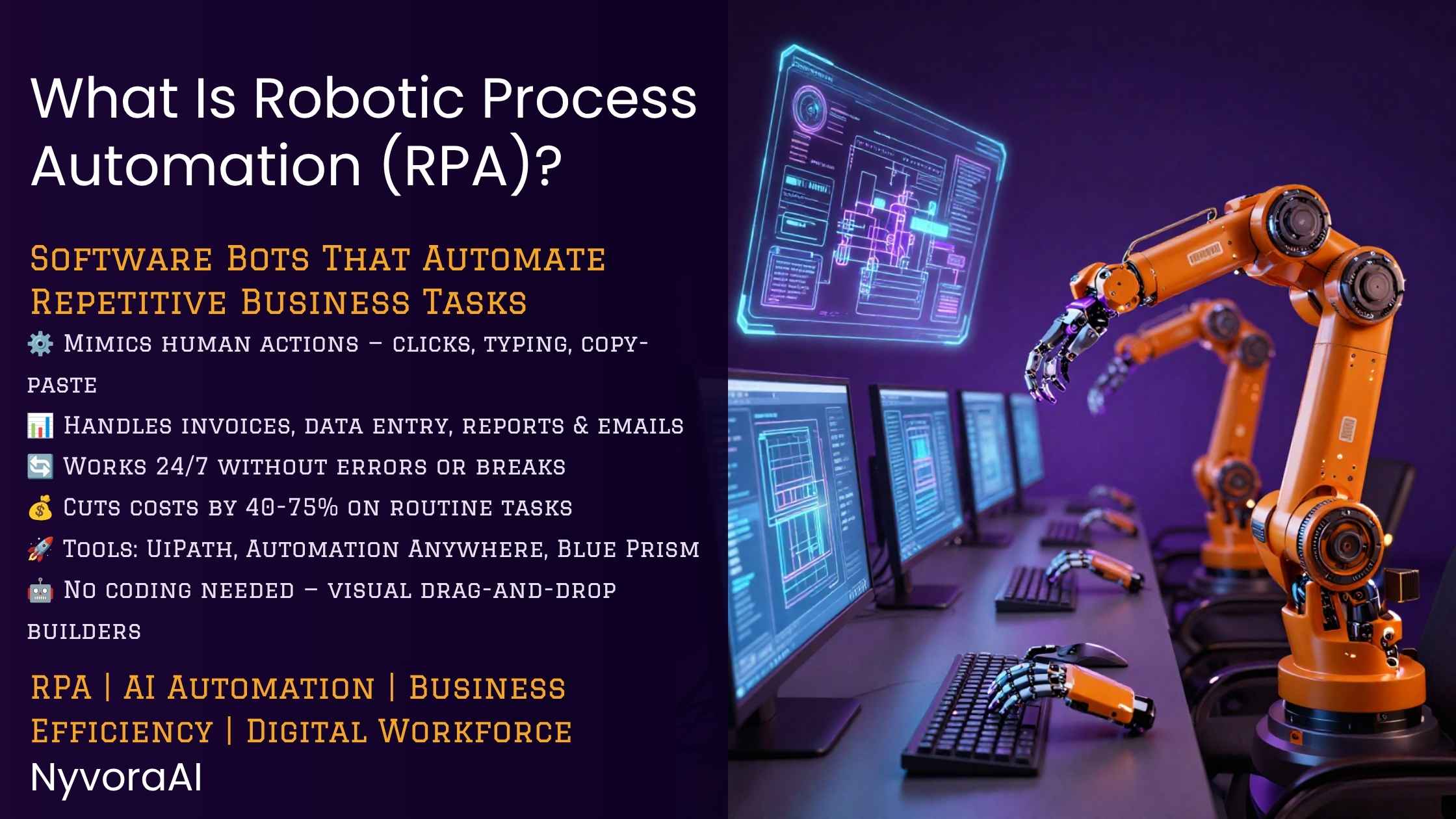
That's the gap Robot Process Automation (RPA) was built to close. The name is a bit misleading — there's no physical robot rolling around the office. RPA is software that watches how a person completes a task and then does the same thing itself: opening applications, clicking, typing, copying data from one screen and pasting it into another. Once it's set up, a bot can run that same process hundreds of times a day without a coffee break, a typo, or a Monday-morning slump.
Below, we'll walk through what robot process automation (RPA) actually is, how the bots work under the hood, where companies are getting the most value from them, and what it takes to get a program like this off the ground.
- Software Robots: RPA uses software bots (not physical robots) to automate repetitive, rule-based tasks typically performed by humans.
- UI-Level Automation: Unlike traditional automation, RPA works at the user interface level, mimicking human interactions without requiring changes to underlying systems.
- Quick Implementation: RPA can be implemented in weeks rather than months, making it one of the fastest ways to achieve digital transformation.
- High ROI: Organizations typically see 30-50% cost reduction in automated processes and can redeploy employees to higher-value work.
- Works with Legacy Systems: RPA can automate tasks across multiple applications, including legacy systems that don't have APIs or modern integration capabilities.
01 Understanding RPA: Beyond the Name
"Robot Process Automation" tends to conjure the wrong image. Say "robot" and most people picture a physical arm on a factory floor, or one of the humanoid machines that keep showing up in tech news. If that's the direction your curiosity runs, our piece on how the Figure AI robot works is a good place to see how physical robotics differs from the software we're covering here.
RPA has no moving parts at all — it lives entirely in software. A more useful mental model is a digital employee: it logs into your systems, follows the steps it was shown, and gets the work done whether it's 3pm on a Tuesday or 3am on a Sunday.
The Three Pillars of RPA
Most RPA platforms, whatever their marketing calls them, are built around three core capabilities:
- Process Recording: capturing what a person does on screen and turning those actions into a repeatable workflow
- Orchestration: a central control layer for scheduling, monitoring, and managing bots across the company
- Integration: the ability to touch multiple applications, databases, and systems in a single workflow
Why "Robot"?
The "robot" label comes from how these bots operate — autonomously, and according to rules someone defined ahead of time, the same way an assembly-line robot repeats its motion without needing instructions each time. The difference is that an RPA bot never touches anything physical; its entire world is screens, fields, and buttons.
02 How RPA Works: The Technical Deep Dive
To really get a feel for RPA, it helps to see how it differs from the automation that came before it, and how a bot actually gets a task done.
UI-Level vs API-Level Automation
Traditional automation usually plugs in at the API (Application Programming Interface) level — you need direct access to an application's underlying code or database. That approach is powerful, but it comes with strings attached: it takes real engineering time, it's expensive, and it simply doesn't work on legacy systems that were never built with an API in the first place.
RPA sidesteps that problem by working at the interface level, the same way a person would. The bot opens the application, clicks the buttons, types into the fields, and reads what's on the screen. That means it can operate almost anywhere a human can, including:
- Legacy systems from the 1990s
- Web applications
- Desktop applications
- Mainframe systems
- Cloud-based SaaS platforms
The Bot Development Process
Building an RPA bot generally follows a fairly predictable path:
- Process Discovery: pinpointing repetitive, rule-based tasks worth automating
- Process Mapping: documenting the existing manual process step by step
- Bot Development: building the automation logic in an RPA tool
- Testing: confirming the bot behaves correctly across different scenarios
- Deployment: putting the bot into production and watching how it performs
- Maintenance: adjusting the bot as processes or the underlying systems change
Types of RPA Bots
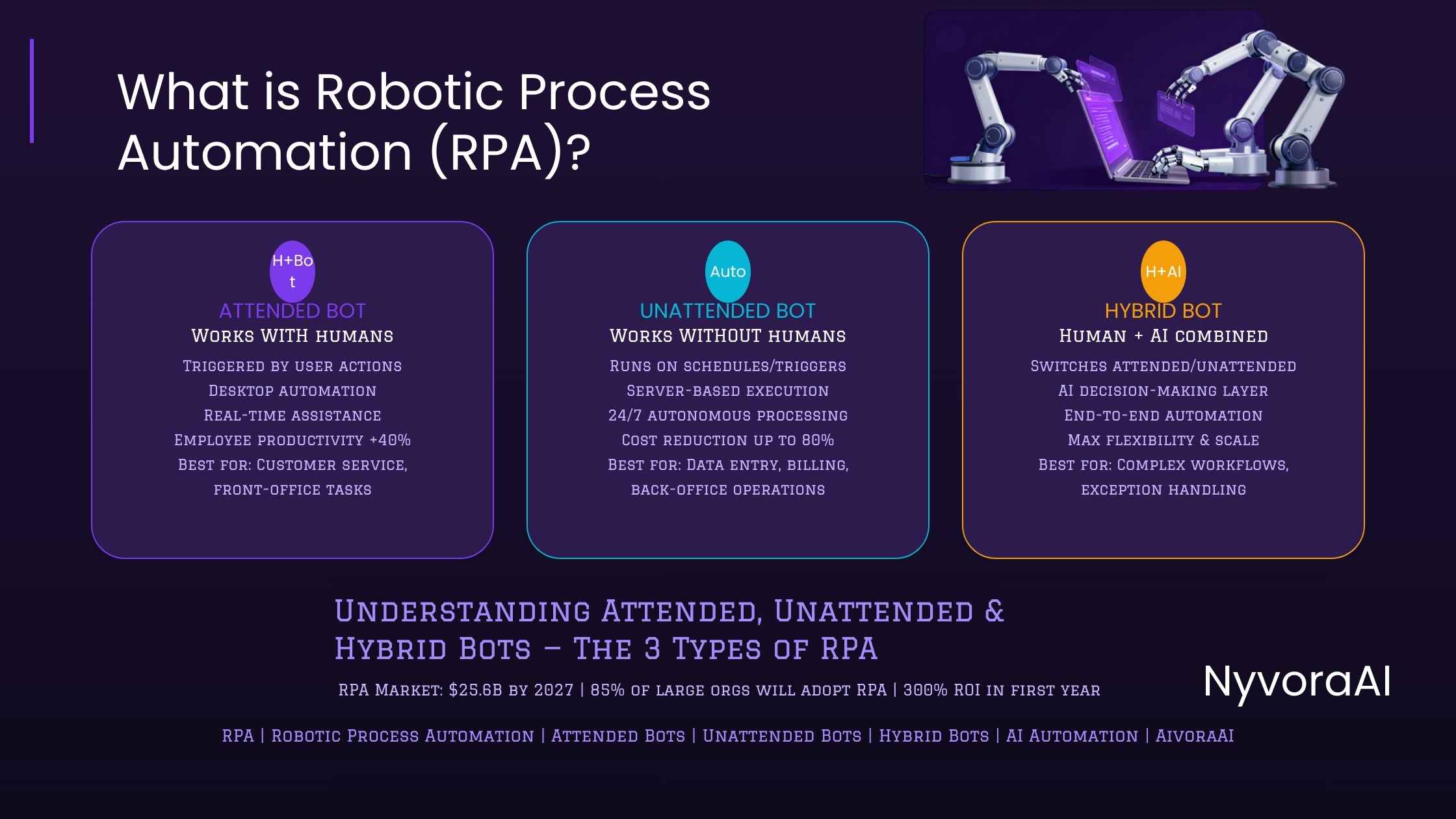
Not every bot works the same way. There are three broad categories, and which one fits depends on the task:
Attended Bots sit alongside a human worker and get triggered on demand — more digital assistant than autonomous agent. A support rep on a call might fire one off to pull a customer's history from three different systems in seconds instead of minutes.
Unattended Bots run entirely on their own, on a schedule, with no one watching. They're a natural fit for overnight batch jobs, nightly data syncs, or anything that doesn't need a human in the loop.
Hybrid Bots split the difference, moving between attended and unattended modes depending on what the moment calls for.
03 Common RPA Use Cases Across Industries
RPA has quietly found its way into nearly every industry. A few of the use cases below tend to deliver the fastest, most visible payoff:
Specific Process Examples
A few concrete examples make this easier to picture:
Invoice Processing: an invoice lands in someone's inbox. An RPA bot opens the email, pulls the attachment, reads it with OCR (Optical Character Recognition), checks it against the purchase order, screens for duplicates, and posts it to the accounting system — turning a 15-20 minute chore into a 2-3 minute one.
Employee Onboarding: a new hire's paperwork used to keep HR busy for days. Now a bot can create accounts across email, the HR system, payroll, and benefits, send the welcome email, and schedule orientation — often within hours of the offer being signed.
Data Migration: moving records from an aging system to a new one is exactly the kind of grinding, repetitive work bots are built for — pulling data out, reshaping it, and loading it into the new platform around the clock until the job is done.
04 RPA vs AI vs Traditional Automation
A question we hear a lot: where does RPA end and AI begin? Getting this distinction straight matters when you're deciding what to invest in.
RPA vs Traditional Automation
Traditional automation — custom scripts, enterprise integration platforms — works at the API or database level. It's capable, but it asks for a lot in return:
- Deep technical expertise
- Access to system APIs or databases
- Longer implementation times (months to years)
- Higher upfront costs
- Significant changes to existing systems
RPA asks for much less:
- Works at the UI level (no API access needed)
- Can be implemented in weeks
- Requires minimal technical expertise
- Lower upfront costs
- No changes to existing systems required
RPA vs Artificial Intelligence
This is the part that trips people up most often. RPA and AI aren't competitors — they're different tools that happen to pair well together.
RPA is rule-based. It does exactly what it's told: if X happens, do Y. Nothing more, nothing less. It doesn't learn and it doesn't improvise — it executes.
AI is closer to judgment. It can weigh options, learn from data, parse natural language, and adapt when the situation isn't quite what it expected. It's built for exactly the kind of ambiguity RPA can't handle.
In practice, the line between the two keeps getting blurrier. Vendors now bundle AI directly into their RPA platforms — a combination often marketed as "Intelligent Automation" or "Cognitive RPA" — which lets bots:
- Read and understand unstructured documents (using OCR and NLP)
- Make decisions based on patterns (using machine learning)
- Understand and respond to natural language (using chatbots and language models)
- Recognize images and objects (using computer vision)
For a broader look at where AI meets physical robotics, our article on what Boston Dynamics is doing with AI is worth a read.
When to Use RPA vs AI
Reach for RPA when:
- Tasks are repetitive and rule-based
- Processes are well-defined and predictable
- You need quick implementation
- Working with legacy systems
- Budget is limited
Reach for AI when:
- Tasks require decision-making or judgment
- Working with unstructured data (text, images, speech)
- Processes need to adapt to changing conditions
- You need to understand natural language
- Pattern recognition is required
Use both together when:
- You want to automate complex end-to-end processes
- Some steps are rule-based while others require intelligence
- You need to handle both structured and unstructured data
05 Implementation Guide: Getting Started with RPA
Getting RPA right takes more planning than most teams expect going in. Here's a practical, step-by-step way to approach it.
Step 1: Process Identification and Assessment
Not every process is a good candidate. Look for ones that are:
- Repetitive: Performed frequently (daily, weekly)
- Rule-based: Follow clear, documented rules
- High-volume: Involve many transactions
- Error-prone: Humans make mistakes due to monotony
- Time-consuming: Take significant employee time
- Stable: Don't change frequently
And steer clear of processes that:
- Require complex decision-making or judgment
- Change frequently
- Involve unstructured data (unless combined with AI)
- Are performed rarely
- Have many exceptions
Step 2: Choose the Right RPA Platform
A handful of vendors dominate the RPA space, each with a slightly different angle:
- UiPath: the market leader, with an extensive feature set and a large user community
- Automation Anywhere: a cloud-native platform with strong built-in AI capabilities
- Blue Prism (now part of SS&C): enterprise-focused, with a heavy emphasis on security
- Microsoft Power Automate: a natural fit if your organization already runs on Microsoft 365
- WorkFusion: leans heavily into intelligent automation with AI built in from the start
Whichever you're weighing, it's worth comparing them on:
- Ease of use and learning curve
- Integration capabilities
- Scalability
- Security features
- Support and community
- Pricing model
Step 3: Start Small and Scale
Resist the urge to automate everything at once. A pilot — one or two simple, high-impact processes — gives you room to:
- Learn the platform and methodology
- Demonstrate quick wins
- Build confidence and buy-in
- Identify and fix issues early
- Refine your approach before scaling
Step 4: Build a Center of Excellence
Once the program grows past a handful of bots, a Center of Excellence (CoE) earns its keep. It typically handles:
- Define standards and best practices
- Manage bot development and deployment
- Provide training and support
- Monitor performance and ROI
- Ensure governance and compliance
Step 5: Change Management
RPA succeeds or stalls based on people, not just technology. It's common for employees to worry the bots are coming for their jobs. A few things help ease that:
- Communicating clearly about RPA's purpose (augmenting, not replacing humans)
- Involving employees in process selection and design
- Providing training and upskilling opportunities
- Celebrating successes and sharing benefits
- Redeploying freed-up employees to higher-value work
06 The Future of RPA: Trends and Developments
RPA hasn't stood still, and it's worth knowing where it's headed next.
Intelligent Automation
The biggest shift underway is RPA merging with AI into what's now called Intelligent Automation — bots that can handle tasks that once needed a human's judgment call. Vendors are folding in:
- Machine learning for pattern recognition and prediction
- Natural Language Processing for understanding text and speech
- Computer vision for reading documents and understanding images
- Process mining for discovering automation opportunities
If you're curious how machines pick up skills by observation, can robots learn from humans watching covers how that learning approach applies to both physical and software robots alike.
Hyperautomation
Analyst firm Gartner coined the term "hyperautomation" to describe stitching together multiple automation technologies — RPA, AI, process mining, analytics — to automate as much of a business as possible. Companies are moving away from one-off RPA projects and toward automation as an enterprise-wide strategy.
Cloud-Native RPA
On-premises deployments used to be the default for RPA; that's shifting fast toward cloud-native platforms, which bring:
- Faster deployment and scaling
- Lower infrastructure costs
- Better collaboration across teams
- Automatic updates and maintenance
- Access from anywhere
Democratization of Automation
RPA tools are getting friendlier to non-technical users, which means the people who actually understand a process — not just IT — can build and manage the automation themselves. This "citizen developer" trend is one of the bigger reasons adoption keeps accelerating.
Integration with Emerging Technologies
RPA is increasingly being paired with other emerging technologies:
- Blockchain: For secure, transparent transaction processing
- IoT: To automate responses to sensor data
- 5G: For faster, more reliable bot communication
- Quantum Computing: For complex optimization problems
This overlap between RPA, advanced AI, and robotics is opening up possibilities that didn't exist a few years ago. For more context on how AI takes different physical and digital forms, see what embodied AI is and how it's different from the software automation covered here.
07 Frequently Asked Questions
What is robot process automation RPA?
How is RPA different from traditional automation?
What are common use cases for RPA?
Can RPA work with AI and machine learning?
How long does it take to implement RPA?
Will RPA replace human workers?
What skills are needed to implement RPA?
How much does RPA cost?

Written by the NyvoraAI Team
We help businesses understand and implement automation technologies to boost productivity and efficiency. This guide was updated in June 2026 with the latest RPA trends and best practices. Have questions? Contact our team or learn more about our mission.