If you've ever stared at a blank document for twenty minutes before typing a single sentence, you already know where most blogging time actually goes. It's rarely the writing itself that's slow, it's the staring, the restarting, the research detours, and the second-guessing. AI doesn't remove the thinking from writing, but it removes almost all of that friction, which is where the real time savings come from.
This guide walks through a complete, practical workflow for using AI to write blog posts faster, the kind that gets a post from idea to publish-ready in a fraction of the time, without producing the flat, generic content that both readers and Google have gotten very good at spotting. If you're new to giving AI instructions in general, our guide on how to write better prompts for AI tools pairs well with everything below.
AI speeds up blog writing most when it handles the slow, mechanical parts, and you keep control of judgment, accuracy, and voice.
- Use AI for structure first: Outlines and first drafts are where AI saves the most time, not final polish.
- Edit like an editor, not a proofreader: Rewrite weak sentences, add real examples, and cut anything generic.
- Write for people first, search second: Google's helpful content guidance rewards usefulness, not keyword density.
- Structure for AI visibility too: Clear headings, direct answers, and FAQ sections help your post get cited by AI search tools, not just ranked by Google.
01Why Use AI for Blog Writing At All?
The honest answer is that blogging consistently is hard to sustain without help. Most bloggers don't quit because they run out of ideas, they quit because each post takes far longer than it should, and the backlog of "I'll write that next week" keeps growing. AI changes that math by collapsing the slowest stages of writing, research gathering, outlining, and first drafts, into minutes instead of hours.
It's worth being clear about what AI is actually good at here. Large language models are built to predict and generate fluent text based on patterns in their training data, which is fundamentally different from how AI systems that classify or detect things work, like the models covered in how AI detects spam emails. Writing assistants are generative by nature, and understanding that distinction, explained further in our piece on generative vs. discriminative AI, helps explain both their strengths and their limits as a writing tool.
The strength is speed and fluency. The limit is that AI doesn't actually know what's true, what's current, or what your specific audience cares about, unless you tell it. That's exactly why the workflow below treats AI as a fast first-draft engine, not a finished-content machine.
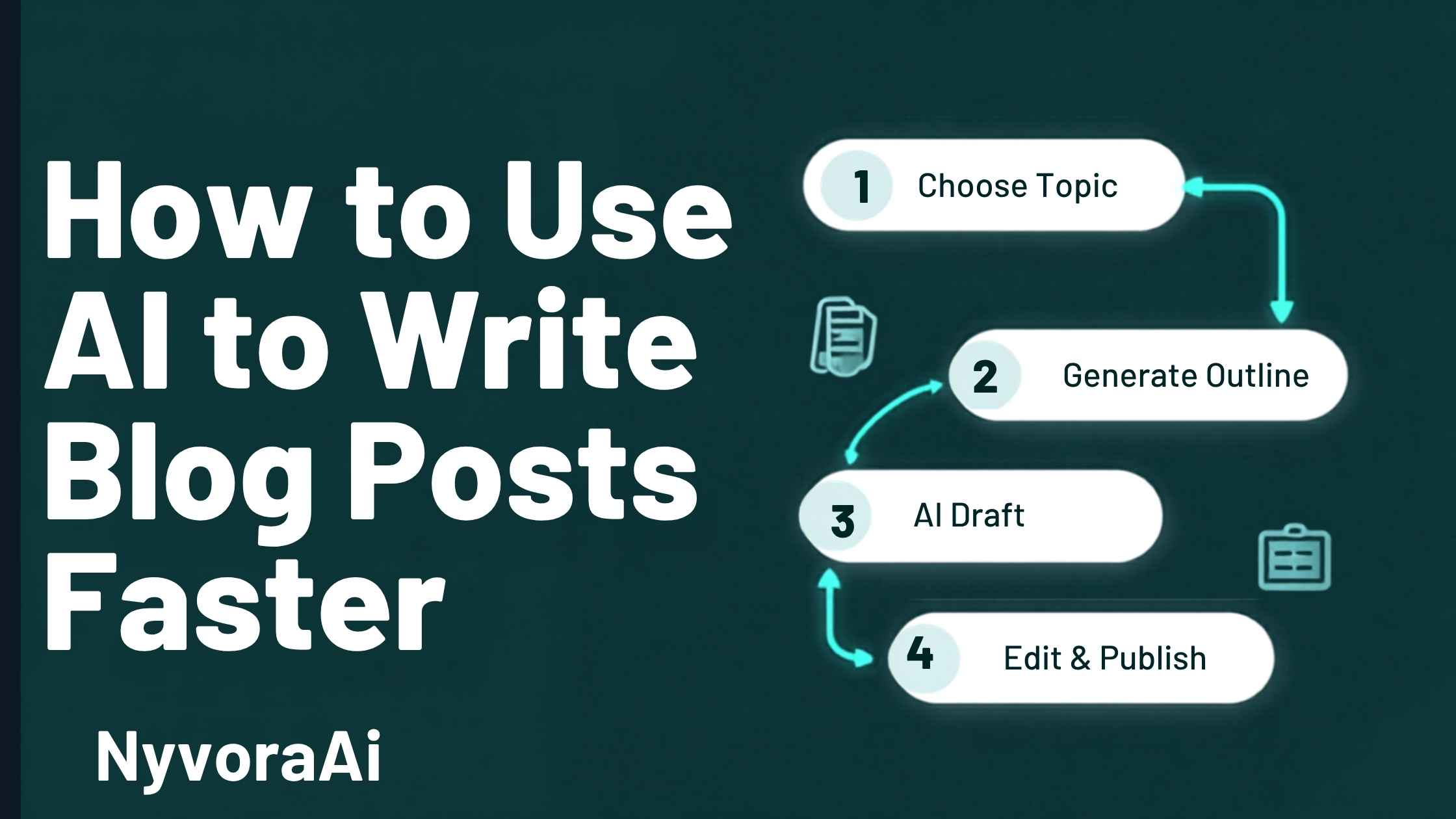
02The 7-Step AI Blog Writing Workflow
This is the actual sequence that turns a vague topic idea into a publish-ready post without sacrificing quality. Each step has a clear job, and skipping steps is usually where AI-assisted posts start to feel hollow.
Nail down the real search intent
Before anything else, decide exactly what the reader wants when they search your topic, a quick answer, a comparison, or a full how-to. This single decision shapes everything that follows.
Generate three outline options
Ask AI for a few different structural approaches to the topic, then pick or combine the one that best matches what a real reader would actually need, in order.
Draft section by section, not all at once
Generating the whole post in one shot tends to produce repetitive, shallow sections. Drafting one section at a time with specific instructions produces far more useful output.
Inject your own knowledge and examples
This is the step that separates a post that ranks from one that doesn't. Add a real example, a number from your own experience, or an opinion AI couldn't have generated alone.
Fact-check every specific claim
AI can state things confidently and still be wrong. Verify statistics, names, dates, and anything that sounds suspiciously precise before it goes anywhere near "publish."
Edit for voice and rhythm
Read the draft out loud. Cut sentences that sound like they came from a press release, vary sentence length, and remove repeated phrasing AI tends to default to.
Add structure for search and AI visibility
Headings, a short FAQ, internal links, and a clear summary all help both human readers and AI systems understand and surface your content.
Why Section-by-Section Beats One Big Prompt
When you ask an AI model to write an entire 2,000-word post in one request, it has to plan the whole structure in advance, which tends to produce shallow, repetitive sections that all sound the same. Breaking the job into focused, one-section requests gives the model a tighter target each time, which consistently produces more specific, more useful writing.
03Prompts That Actually Save Time
Vague prompts produce vague drafts that need heavy rewriting, which defeats the entire point of using AI to go faster. Specific prompts produce drafts that need light editing instead of a rewrite. Here's the difference in practice.
Notice the pattern: a strong prompt specifies the audience, the format, the length, and a constraint. That combination is what reliably produces a draft you can edit instead of one you have to rewrite from scratch.
04Keeping Your Content Human and Helpful
Google has been direct about this: content isn't penalized for involving AI, it's penalized for being unhelpful, thin, or written primarily to manipulate search rankings rather than to genuinely help a reader. The goal isn't to hide that AI was involved, it's to make sure the final post genuinely earns the reader's time.
A few habits make AI-assisted posts read as authentically human rather than machine-generated filler. Replace generic statements with specific ones, "AI tools can save time" becomes "drafting an outline that used to take me 25 minutes now takes about four." Vary your sentence rhythm instead of letting every sentence run the same length. And most importantly, include something AI genuinely could not have written on its own: a real opinion, a mistake you learned from, or a detail from direct experience.
It also helps to remember that AI writing tools are themselves just an application of generative AI more broadly, the same underlying category of technology used in tools that can compose music or generate images from a text prompt. They're pattern-completion engines, talented ones, but the human judgment about what's actually worth saying still has to come from you.
05Making It Found: SEO, GEO, and AEO Together
Speed only matters if the post actually gets read, which means structuring it for three overlapping systems at once: traditional search engine optimization (SEO), generative engine optimization (GEO) for AI search tools and chat assistants, and answer engine optimization (AEO) for featured snippets and direct-answer boxes.
In practice, these three goals reinforce each other more than they conflict. A post that opens each section with a direct, clearly stated answer, uses descriptive headings instead of clever ones, and includes a focused FAQ section tends to perform well across all three systems simultaneously. AI search tools, in particular, favor content that states facts plainly and attributes claims clearly, rather than burying the point under several paragraphs of preamble.
Search Engines
Clear headings, a focused primary keyword, and genuinely useful depth help traditional rankings.
AI Search Tools
Direct, well-attributed statements make your content easier for AI assistants to summarize and cite.
Answer Boxes
A short, direct answer near the top of a section improves your odds of winning a featured snippet.
Mobile Readers
Short paragraphs and clear visual breaks keep mobile readers scrolling instead of bouncing.
Trust Signals
A real author byline and specific examples signal genuine experience to both readers and Google.
Internal Links
Linking to related, genuinely relevant posts helps both readers and crawlers understand your site's depth.
06Common Mistakes That Slow You Down
07Where AI Helps Most in the Writing Process
Not every stage of writing benefits equally from AI assistance. Knowing where it genuinely saves time, and where it doesn't, keeps you from wasting effort fighting the tool to do something it's not well suited for.
- Outlining: AI is excellent here, generating several structural options in seconds that would otherwise take you twenty minutes of staring at a blank page.
- Research summaries: AI can quickly summarize a topic you already understand, though it should never be your only source for unfamiliar facts or statistics.
- First drafts: Strong for getting words on the page fast, weak for final polish, voice, and genuine insight.
- Headlines and meta descriptions: AI is very good at generating a wide batch of options quickly for you to choose between.
- Editing for clarity: Useful for catching awkward phrasing, though it shouldn't be trusted to judge what's actually interesting or true.
Try the simulator below to get a rough sense of how much writing time AI assistance might realistically save you, based on post length and how much of the process you hand off.
08Frequently Asked Questions
How do I use AI to write blog posts faster?
Will Google penalize AI-written blog posts?
Can AI-written blog posts rank on Google?
What is the fastest way to write a blog post with AI?
How long should an AI-assisted blog post be?
09Conclusion
Using AI to write blog posts faster isn't about letting a model do all the thinking for you, it's about handing off the slow, mechanical parts of writing so you can spend your time on the parts that actually require a human: judgment, real experience, and a genuine point of view. Follow the seven-step workflow above, write prompts that are specific instead of vague, and always finish with a real editing pass, and you'll consistently produce posts that are both faster to write and genuinely worth reading.
Speed and quality were never really in conflict here. The bottleneck was always the blank page, and that's exactly what AI is good at clearing out of your way.

Written by Varun Lalwani
Varun writes practical, no-fluff guides on using AI tools effectively for content creation. This guide was reviewed for accuracy in June 2026. Questions about your own AI writing workflow? Get in touch with us, we read every message.