Here's something most job seekers don't realise until it's too late: a lot of hiring decisions get made in under ten seconds per resume. Recruiters are scanning, not reading. And if your bullet points start with "responsible for" or "helped with," you're making their job really easy — just not in the way you want.
That's where using AI to improve your resume can genuinely shift the outcome. Not because AI writes better than you, but because it forces every bullet to do a specific job: start with an action, deliver a result, and use the language the employer actually cares about. This guide walks through a practical, step-by-step approach to getting that done, along with real before-and-after examples you can try yourself today.
No prior experience with AI required. If you've never opened an AI chatbot before, that's fine too — the prompts in this guide are ready to copy and use immediately. And if you're already familiar with AI tools and want to sharpen your prompting technique beyond just resumes, our guide on how to write better prompts for AI tools is worth bookmarking alongside this one.
- Bullet points are the biggest win: rewriting them with action verbs and numbers is where AI delivers the most immediate improvement.
- Tailoring per job matters more than a perfect generic resume: AI makes this fast enough to do for every single application.
- ATS is a real filter: many resumes never reach a human — AI can help you identify and fix keyword gaps before submitting.
- AI improves, it doesn't invent: every fact, date, and result still has to come from your real experience.
- Always fact-check AI's suggestions: AI can confidently suggest changes that introduce subtle errors if you're not reviewing carefully.
01Why AI Actually Works for Resume Improvement
The biggest problem with most resumes isn't that the person lacks experience. It's that the experience is described in the least compelling way possible. Phrases like "assisted with," "involved in," or "helped manage" are essentially invisible to a recruiter scanning fifty documents in an afternoon.
AI is genuinely good at spotting this kind of weak phrasing and replacing it with something sharper — not because it knows your job better than you do, but because it has processed enough strong resume language to know the difference between "managed a team" and "led a cross-functional team of six that delivered a product two weeks ahead of schedule." One of those gets a second look. The other doesn't.
There's also the tailoring problem. Most people send the same resume to every job, slightly tweaked. A focused AI prompt can align your resume language with a specific job description in about three minutes — matching the employer's exact terminology, surfacing the right keywords, and reordering priorities based on what that role actually asks for. That's not cheating the system; it's speaking the same language the reader is expecting to hear.
02The Step-by-Step Method
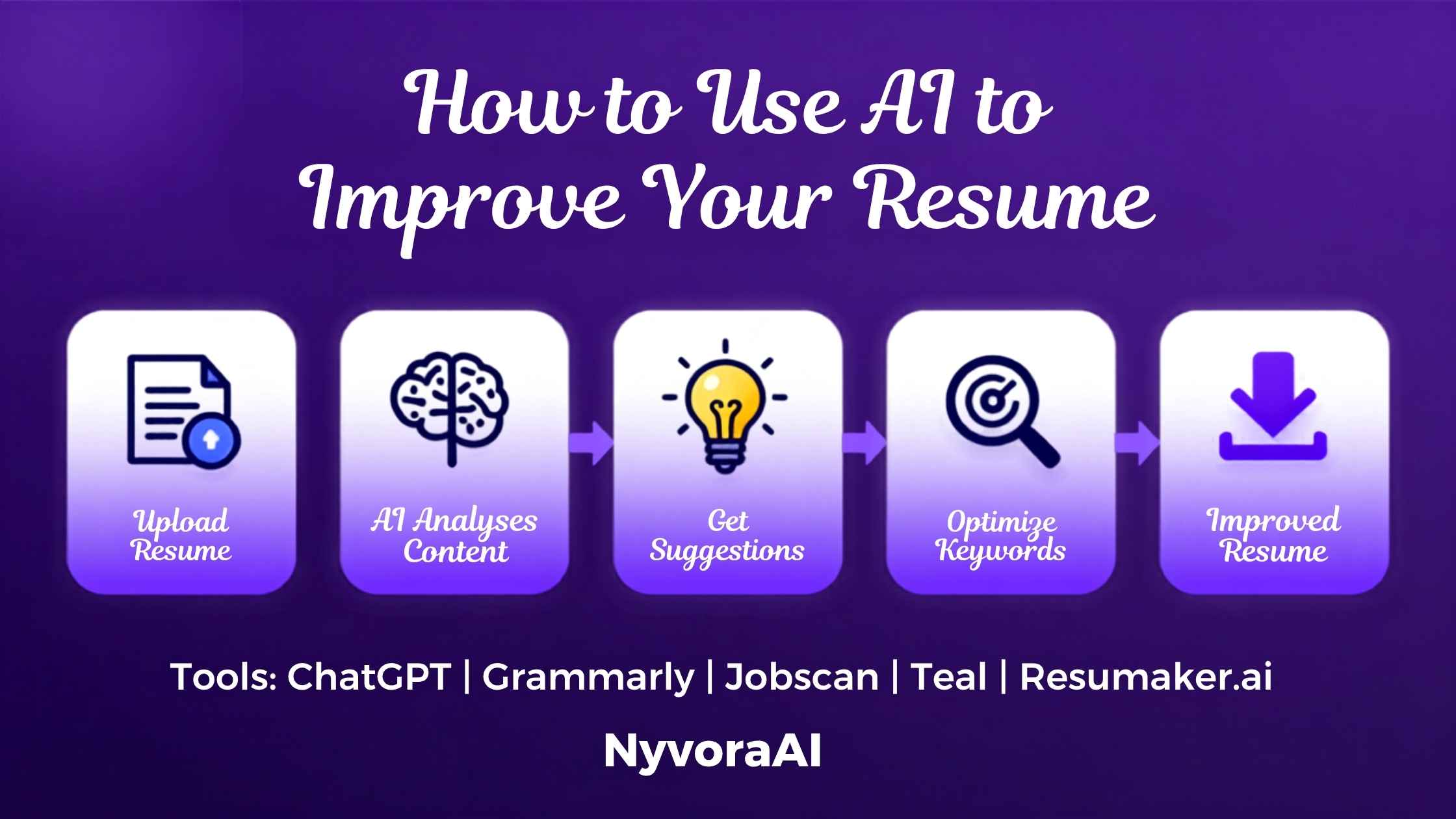
Work through these in order. Each step builds on the last, so don't skip straight to step four without doing the earlier ones first.
Start With a Full Review — Paste Your Whole Resume
Copy your complete resume text and paste it into an AI chatbot with this simple request: "Review this resume and tell me which bullet points are weak, vague, or missing measurable results." Don't skip this step. AI often catches passive phrasing you've been staring at too long to notice anymore.
Rewrite Bullet Points With Action Verbs and Numbers
For each weak bullet AI flags, ask it to rewrite the point starting with a strong action verb and quantifying the result. If you don't have exact numbers, give it a rough estimate — "approximately 20% faster" is still far stronger than "improved speed." The goal is specificity, not perfection.
Paste the Job Description and Tailor Your Resume to It
Open the job posting and copy the full description. Paste it alongside your resume and ask AI to identify gaps between your language and the employer's language, then rewrite relevant sections to bridge those gaps. This is where tailoring goes from a chore to a three-minute task.
Ask AI to Check for ATS Keyword Gaps
Many applications never reach a human — they're filtered by applicant tracking systems first. Ask AI to compare your resume keywords against the job description and list any key terms the employer used that are missing from your current version. Then work those terms in naturally.
Sharpen Your Summary Statement
Most summary sections are either missing or embarrassingly generic. Ask AI to write a two to three sentence summary tailored to the specific role you're targeting — one that mentions your years of experience, your strongest relevant skill, and the kind of impact you typically deliver. Generic summaries get skipped; specific ones get read.
Fact-Check Every Suggestion Before You Send
AI doesn't know your actual job history. It can make suggestions that sound great but introduce subtle inaccuracies — a wrong title, a slightly off timeframe, or a result that sounds plausible but isn't quite what happened. Read every AI-suggested change carefully before it goes into your final document. For a deeper look at this habit, see our guide on how to fact-check AI-generated content.
03Live Demo: Before and After AI Rewrites
This is where it gets concrete. Click any of the weak resume bullets below to see exactly how an AI rewrite transforms it — and why the new version works better.
Click a weak bullet point to see the AI-improved version and the reasoning behind it
04Prompts That Actually Get Strong Results
Most people ask AI to "improve my resume" and get something average back. The difference is in how specific your prompt is. Here are the ones that consistently work best.
| Task | Prompt to Use |
|---|---|
| Full Review | "Review this resume. List every bullet point that uses passive language, lacks numbers, or could be stronger. Don't rewrite yet — just flag them and explain why each is weak." [paste resume] |
| Bullet Rewrite | "Rewrite this bullet point so it starts with a strong action verb and includes a measurable result. Keep it to one line. Here's the original: [paste bullet]. My approximate impact was [add context]." |
| Job Tailoring | "Here is my resume: [paste]. Here is the job description: [paste]. Rewrite the top three bullet points under each role to better match the keywords and priorities in this job description." |
| ATS Check | "Compare my resume to this job description. List the important keywords and phrases from the job posting that are missing or underrepresented in my resume. Suggest where to add them naturally." |
| Summary Writing | "Write a two to three sentence professional summary for my resume. I have [X years] of experience in [field], my strongest skill is [skill], and I'm applying for [job title] at [type of company]." |
Always Give AI Context About Your Level
Adding "I'm applying for a senior role" versus "I'm applying for my first job out of university" completely changes the tone and content AI suggests. The more context you give, the more targeted and useful the output becomes. This is one of the core principles behind writing better prompts for AI tools in any context.
05ATS Compatibility: Why It Matters and How AI Helps
Applicant tracking systems are the first filter at most medium and large companies. Before your resume lands in front of a human, software scans it for relevant keywords, scoring it against the job description. A resume that's beautifully written but missing four key terms from the posting can score lower than a mediocre resume that happens to include them all.
Keyword Matching
Ask AI to extract the key skills and terms from a job description, then check which ones are absent from your resume so you can add them naturally.
Formatting Fixes
Tables, text boxes, and columns look great in a PDF but confuse many ATS parsers. AI can flag formatting choices likely to cause parsing errors.
Job Title Alignment
If your previous title was "Customer Champion" but the posting says "Customer Success Manager," AI can suggest where and how to surface the standard terminology.
Skills Section Audit
AI can review your skills section against the posting and suggest additions or removals based on what the employer explicitly listed as requirements.
Length and Density
AI can advise on whether your resume is too dense for easy scanning, and suggest which sections to trim without losing important context.
Section Order Optimisation
For career changers especially, AI can suggest reordering sections so your most relevant experience sits above the fold, not buried halfway down the page.
06Common Mistakes to Avoid
Using AI on your resume can backfire in a few specific ways if you're not careful about how you use it.
Letting AI Invent Results You Don't Have
AI will sometimes generate impressive-sounding numbers that aren't based on anything you told it. If you can't stand behind a specific figure in an interview, don't put it on your resume.
Over-Optimising for One Job and Forgetting Others
Tailoring is powerful, but keep a "master" version of your resume that you use as the base. Over-editing one copy for a specific role and losing the broader version is a frustrating mistake to walk back.
Using Generic AI Output Without Personalising It
AI-suggested language can sometimes sound slightly corporate or generic. Read every rewrite aloud — if it doesn't sound like something you'd actually say in an interview, adjust the wording before it goes in.
Skipping the Cover Letter
A strong resume still needs a matching cover letter for many roles. The same AI approach works there — paste the job description, your background, and ask for a focused draft. If you already use AI for writing tasks more broadly, our guide on how to use AI for freelance writing jobs has overlapping prompting techniques worth adapting.
07Beyond the Resume: Building a Bigger Job Search Workflow
Once you've got your resume in good shape, AI can keep helping through the rest of the job search. Preparing answers to common interview questions, researching companies, drafting follow-up emails after interviews, negotiating offer language — all of these are tasks where a well-structured AI prompt saves real time.
If you find that using AI for the resume has genuinely changed how you work, it's worth thinking about how to fold it into other daily tasks too. Our guide on how to build a daily workflow using AI tools walks through a practical structure for doing exactly that, not just for job hunting but for ongoing professional work.
And if writing more generally is part of your work — whether that's client communications, reports, or content — the same discipline of giving AI clear context and then reviewing its output carefully translates well. See our piece on how to use AI to write blog posts faster for how these same skills apply outside the resume context.
Prepare for the Interview Too
After you've tailored your resume, ask AI: "Based on this job description, what are the five most likely interview questions for this role? And what would a strong answer to each look like given my background?" Running this before every interview takes about ten minutes and tends to noticeably sharpen how you talk about your own experience.
08Frequently Asked Questions
Can AI really improve my resume?
Is it safe to paste my resume into an AI chatbot?
Will an AI-written resume pass ATS?
What is the best prompt to improve a resume with AI?
Should I use AI to write my entire resume from scratch?
How do I tailor my resume for a specific job using AI?
Can AI help with cover letters too?
09Conclusion
Using AI to improve your resume isn't about faking your experience or outsourcing your career story. It's about presenting what you've actually done in the clearest, most compelling way possible — the way a strong resume writer would, but without the cost, the wait, or the back-and-forth. Rewrite the weak bullets. Tailor for each role. Check the ATS keywords. Verify every fact before it goes in.
The job market is competitive enough without handing recruiters an excuse to move past your resume in eight seconds. AI makes it genuinely easier to close that gap — and the effort of one focused editing session could be the thing that gets your application into the yes pile. Open a chatbot, paste your resume, and start with step one today.

Written by Varun Lalwani
I write about practical, everyday uses of AI that make real professional tasks faster and easier. This guide breaks down how to use AI to improve your resume into steps anyone can follow, whether you're job hunting for the first time or the fifth. Questions? We're here to help!