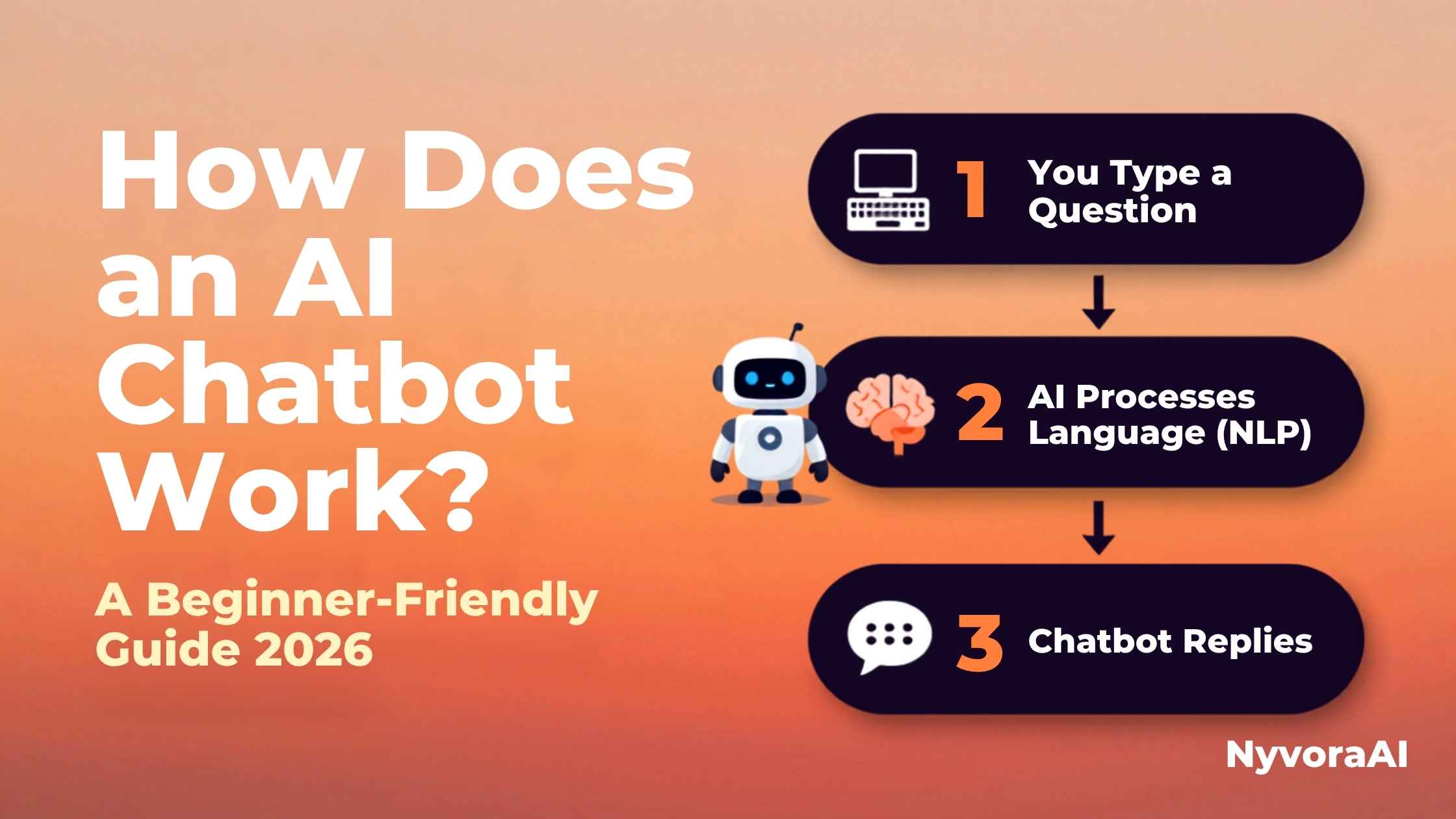
You're sitting at your computer or holding your phone, and you type: "What's the best way to learn Spanish?" Within seconds, a chatbot responds with a thoughtful, detailed answer. But how does an AI chatbot work for beginners to understand? What's actually happening in those few seconds?
If you've ever felt like you're talking to a magic box that just... knows things, you're not alone. The truth is both simpler and more interesting than you might think. AI chatbots don't "think" the way humans do. They don't have consciousness, feelings, or true understanding. Instead, they're incredibly sophisticated pattern-matching machines that have learned from reading vast amounts of human conversation.
In this guide, we'll walk through exactly how chatbots work, from the moment you press "send" to when you see that response appear. No computer science degree required. If you want to dive deeper into the differences between AI technologies, check out our guide on AI vs machine learning difference.
- Pattern matching, not thinking: Chatbots predict the most likely next word based on patterns learned from training data.
- NLP is the key: Natural Language Processing breaks down your words into understandable patterns.
- No consciousness: Chatbots don't remember you between conversations or have feelings.
- Training matters: Chatbots learn from massive datasets of human text before you ever talk to them.
- Fast but not instant: Responses take 1-5 seconds as the AI processes possibilities.
01The Simple Truth: It's All About Patterns
Here's the core concept that explains how does an AI chatbot work for beginners: imagine you've read every book, article, and conversation on the internet. After reading that much, you'd start noticing patterns. You'd know that "Good" is often followed by "morning," "afternoon," or "job." You'd know that questions starting with "What's the best way to..." are usually followed by requests for advice.
AI chatbots work the same way, except instead of a human brain, they use mathematical models called neural networks. These networks have analyzed billions of conversations and learned which words typically follow other words in different contexts. When you ask a question, the chatbot isn't "thinking" about the answer — it's calculating which words are most likely to come next based on everything it's learned.
Think of it like autocomplete on your phone, but on steroids. Your phone predicts the next word based on your typing history. ChatGPT predicts the next word based on patterns from millions of conversations. If you're curious about whether this is difficult to grasp, read our guide on is AI hard to learn for beginners.
02Step-by-Step: From Your Message to Their Response
Let's break down exactly what happens when you interact with a chatbot. This process happens in just a few seconds:
You Type Your Message
It starts with you. You type "What's the weather like today?" or "Help me write a professional email." This text is your "prompt" — the instruction that tells the AI what you want.
Tokenization: Breaking Words Into Pieces
The chatbot doesn't see words like humans do. It breaks your sentence into "tokens" — chunks of text that could be whole words, parts of words, or even punctuation. "Chatbot" might become ["Chat", "bot"]. This helps the AI handle any word, even ones it hasn't seen before.
Understanding Context (NLP)
Natural Language Processing (NLP) analyzes your tokens to understand meaning, context, and intent. Is this a question? A command? Are you asking about weather, or is "weather" part of an idiom? The AI uses patterns it learned during training to interpret this.
Pattern Matching & Prediction
Here's where the magic happens. The AI's neural network analyzes your processed message against billions of patterns it learned. It calculates: "Given this input, what's the most likely helpful response?" It doesn't retrieve a pre-written answer — it generates one word by word.
Word-by-Word Generation
The AI predicts the first word of its response. Then it uses that word plus your original message to predict the second word. It continues this process, building the response one token at a time, until it reaches a natural ending point.
Safety Checks & Filters
Before showing you the response, the system runs safety checks. Does this contain harmful information? Is it appropriate? Many chatbots have filters to prevent generating dangerous, illegal, or unethical content.
You See the Response
The final text appears on your screen, usually streaming word-by-word so you don't have to wait for the entire response. Total time: typically 1-5 seconds from your send to their first word.
03Try It Yourself: See the Process in Action
Want to see how a chatbot processes different types of messages? Try our interactive demo below:
Type a message below to see how an AI might respond. Watch the pattern-matching in action!
04Understanding NLP: How Chatbots "Understand" You
Natural Language Processing (NLP) is the technology that allows chatbots to make sense of human language. Here's what actually happens:
Syntax Analysis
The AI identifies parts of speech — nouns, verbs, adjectives. It understands sentence structure. "Dog bites man" means something different from "Man bites dog," even though the words are the same.
Semantic Understanding
The AI tries to grasp meaning. If you say "I'm feeling blue," it recognizes this isn't about color — it's an idiom about sadness. This comes from learning patterns in millions of conversations.
Context Awareness
Modern chatbots remember what you said earlier in the conversation. If you ask "Who is the president?" then follow up with "How old is he?", the AI knows "he" refers to the president.
Intent Recognition
The AI determines what you want. "What's the capital of France?" is a factual question. "Tell me about Paris" is a request for information. Different intents trigger different response strategies.
This is all happening in milliseconds. The chatbot isn't "thinking" — it's running complex mathematical calculations that have been optimized to mimic understanding. For those interested in starting their AI journey, our guide on the easiest AI tools to start with can help you explore these concepts hands-on.
05How Chatbots Learn: The Training Process
Before a chatbot ever talks to you, it goes through an extensive training process. Here's how it learns:
| Training Stage | What Happens | Time Required |
|---|---|---|
| Data Collection | Gathering billions of text examples from books, websites, conversations, and articles | Months |
| Pre-training | The AI learns basic language patterns by predicting missing words in sentences | Weeks to months |
| Fine-tuning | Humans train the AI on specific tasks and correct its mistakes | Weeks |
| RLHF | Reinforcement Learning from Human Feedback — humans rank responses to teach the AI what's helpful | Weeks |
| Safety Training | Teaching the AI to refuse harmful requests and avoid dangerous topics | Ongoing |
This is why chatbots sometimes make mistakes or seem outdated. They can only know what was in their training data. If you ask about events after their training cutoff date, they won't know — unless they have access to live internet data.
06Myths vs Reality: What Chatbots Actually Do
Let's clear up some common misconceptions about how chatbots work:
07Types of Chatbots: From Simple to Sophisticated
Not all chatbots work the same way. Here's the spectrum:
Rule-Based Chatbots
These follow simple if-then rules. "If user says 'hello', respond with 'Hi there!'" They're limited but predictable. Common in customer service for basic FAQs.
Retrieval-Based Chatbots
These have a database of pre-written responses. They match your question to the closest match in their database and return that response. Better than rule-based, but still limited to pre-written content.
Generative AI Chatbots
These are the ChatGPTs and Claudes of the world. They generate entirely new responses word-by-word using neural networks. They're flexible and creative but can make mistakes.
08What Chatbots Can't Do (Yet)
Understanding limitations is just as important as understanding capabilities:
- No true understanding: They process patterns, not meaning.
- No consciousness: There's no "self" having an experience.
- No real-time knowledge: Unless connected to the internet, they only know what was in their training data.
- No emotions: They can mimic empathy, but they don't feel anything.
- Can't verify truth: They generate what sounds right, not necessarily what's factually correct.
Pro Tip for Beginners
When using chatbots, be specific and clear. The better your prompt, the better the response. Instead of "Tell me about dogs," try "Tell me about the temperament and care requirements of Golden Retrievers for first-time dog owners."
09Frequently Asked Questions
How does an AI chatbot understand what I type?
Do AI chatbots actually think or remember our conversations?
What's the difference between a chatbot and AI?
How fast do AI chatbots respond and why?
Can AI chatbots make mistakes or lie?
Do I need to know how to code to use a chatbot?
Where can I start using a chatbot?

Written by the NyvoraAI Team
We believe understanding AI shouldn't require a computer science degree. This guide breaks down complex technology into simple, digestible concepts. Questions? We're here to help!