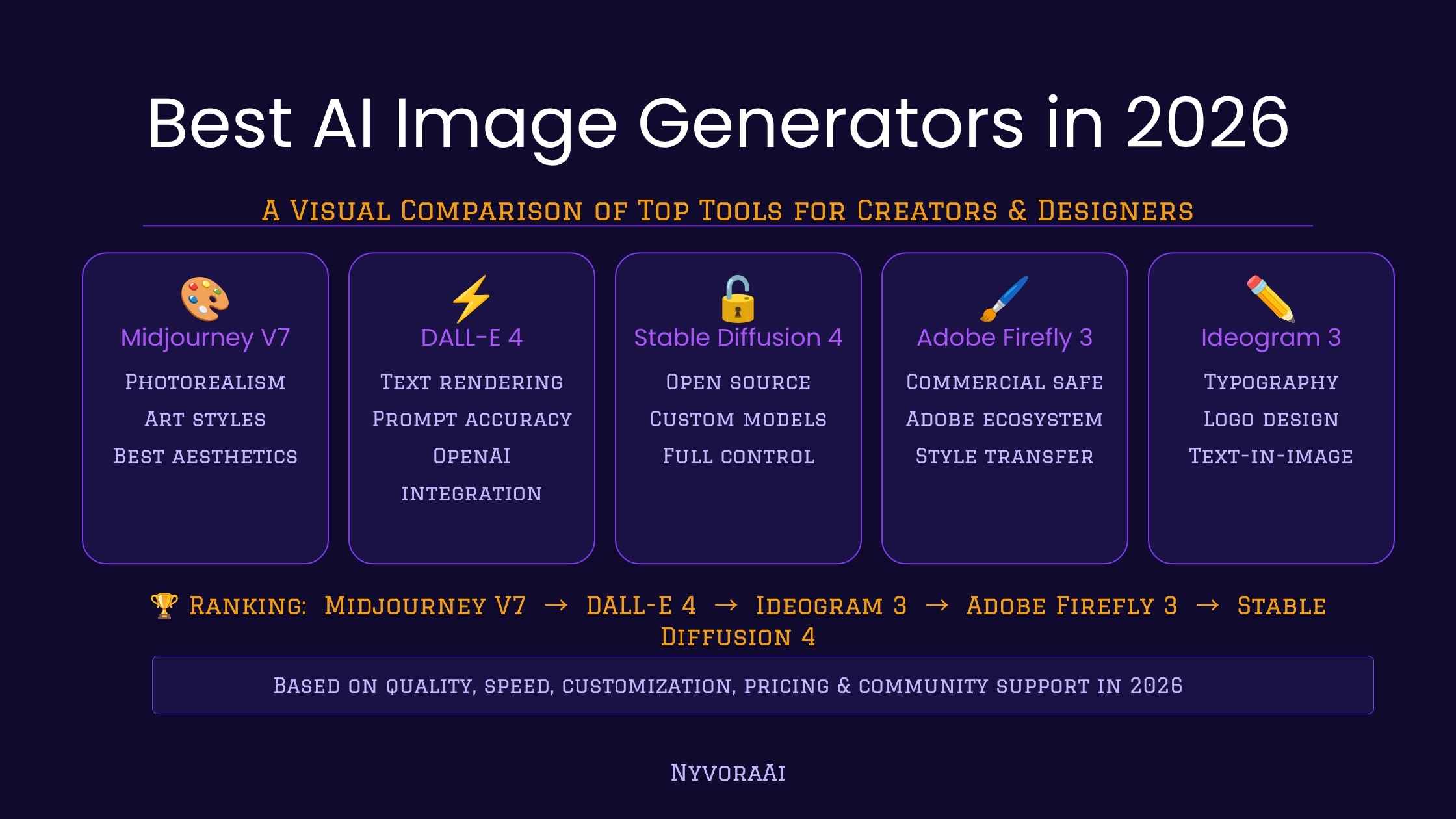
If you've been trying to keep up with the AI image generation space, you already know it moves fast. New models drop every few months, pricing structures keep shifting, and whatever was the "best" tool in January might be three versions behind by June. So instead of just listing tools alphabetically, this guide focuses on what actually matters: which one fits your specific use case, budget, and skill level in the second half of 2026.
We cover the six tools that have earned a real place in working creative workflows right now, and we're honest about the trade-offs in each one. If you want to stay on top of what's changing as new models release, the NyvoraAI news section covers AI tool updates as they happen.
There isn't one "best" AI image generator in 2026. There's a best one for your specific situation.
- For pure artistic quality: Midjourney is still at the top for stylised, editorial, and creative output.
- For beginners and casual use: DALL-E 3 via ChatGPT is the lowest-friction starting point.
- For commercial-safe work: Adobe Firefly is built specifically for professional, legally clean output.
- For full control and no monthly fee: Stable Diffusion and FLUX are the open-source options worth knowing.
01The 2026 Landscape at a Glance
A few things have shifted noticeably since 2024. Photorealism has improved across almost every major tool, to the point where distinguishing AI-generated portraits from real photography now requires close inspection in the best cases. Text rendering inside images, which was famously terrible for years, has gotten dramatically better, particularly in Ideogram and FLUX. And the gap between closed commercial tools and open-source alternatives has narrowed significantly.
Pricing has also matured. Most tools have settled into subscription models with tiered credit systems rather than the chaotic usage-based pricing of early 2023. That's good for predictability, though it does mean you need to think more carefully about which tool you actually need before committing to a subscription you'll end up paying for anyway.
Why "More Realistic" Doesn't Always Mean "Better"
Photorealism is only the right target if you're making images that are supposed to look like photographs. If you're creating marketing illustrations, concept art, social media content, or branded visuals, a tool that produces distinctive, stylised output at high quality is often far more valuable than one that's chasing realism. Know what your output actually needs to look like before you pick the tool you'll use to make it.
02Midjourney
Midjourney has held the top position for artistic image quality for a while now, and in 2026, it's still difficult to beat for stylised, editorial, and creative work. The v7 model produces images with a coherence and aesthetic polish that the other tools haven't consistently matched yet, particularly for anything involving complex composition, mood lighting, or a defined visual style.
It's not perfect. Midjourney works through Discord, which is an odd interface choice that still catches new users off guard. There's no free tier anymore, the entry plan starts at around $10 a month, and the prompt learning curve is steeper than tools like DALL-E 3. But if image quality is your first priority and you're willing to spend a bit of time learning how to prompt well, nothing else in this list produces a higher percentage of genuinely impressive outputs.
03DALL-E 3
DALL-E 3, accessible directly through ChatGPT Plus or the API, is still the most accessible entry point for anyone new to AI image generation. You can describe an image in plain, conversational English and get something usable back without writing a structured prompt or understanding model-specific syntax. It just works, and for a lot of use cases, that's genuinely all you need.
The quality is solid rather than exceptional, and it doesn't have the stylistic range of Midjourney or the technical flexibility of Stable Diffusion. But if you're already paying for ChatGPT Plus, you've effectively got DALL-E 3 included, which makes it the best value-for-money option for casual or light professional use. The integration with GPT-4 also means you can iterate on images through conversation, which is a workflow advantage no other tool on this list offers.
04Adobe Firefly
Adobe Firefly has a specific advantage that none of the other tools in this list can match: it was trained exclusively on licensed and public-domain content, which means the images it generates are designed to be commercially safe out of the box. If you're a brand, agency, or freelancer producing work for clients, that matters a lot.
Firefly integrates directly into Photoshop, Illustrator, and Express, so it's not a standalone tool so much as an AI layer on top of the Creative Cloud workflow you may already be using. The image quality has improved significantly with Firefly 3, and while it's not at Midjourney's level for pure artistic output, the practical advantages of clean commercial licensing and native Creative Cloud integration make it the go-to for professional design contexts.
05Ideogram
If you've ever needed text rendered correctly inside an AI-generated image, you know how badly most tools handle it. Ideogram was built specifically to fix that problem, and in 2026 it's still the most reliable tool for generating images where legible, well-placed text is part of the composition. Think social media graphics, posters, typographic logos, and marketing banners.
Beyond text, Ideogram 3.0 is also producing genuinely strong general images. It's not a one-trick tool anymore. The free tier is generous enough to evaluate the tool properly before committing to a paid plan, and the web interface is clean and fast. For content creators who need to produce visual assets quickly and consistently, Ideogram deserves a serious look.
06Stable Diffusion
Stable Diffusion is the open-source foundation that a huge portion of the AI image ecosystem is built on, and running it locally gives you capabilities none of the closed commercial tools offer: unlimited generation at no cost, the ability to fine-tune on custom datasets, and complete control over every parameter of the output. If you want to understand how AI image generation actually works, this is the place to start.
The trade-off is setup complexity. Running Stable Diffusion locally requires a reasonably powerful GPU and some comfort with technical setup. For most casual users, that's a barrier not worth clearing. But for developers, researchers, and power users who want maximum flexibility and don't want a monthly subscription ceiling, it's genuinely the most powerful option in the list.
07FLUX
FLUX, developed by Black Forest Labs, emerged as the most serious open-source challenger to commercial tools in late 2024 and has continued to improve into 2026. It produces images with noticeably better prompt adherence than most Stable Diffusion checkpoints, handles text rendering well, and outputs at higher quality on average than older open-source alternatives.
FLUX is available through several hosted platforms at various price points, or you can run it locally if you have the hardware. It's the tool to try if you've outgrown Stable Diffusion's older models and want open-source quality that's genuinely competitive with the commercial options. For a broader view of where AI tools are headed, the NyvoraAI team covers this space every week.
08How to Choose the Right Tool for You
The honest answer is that most people don't need to pick just one. Midjourney for hero creative work, Ideogram for text-heavy social assets, and Firefly for anything going into a client deliverable is a common combination among working designers in 2026. But if you're starting out or on a tighter budget, here's how to narrow it down fast.
Creative and editorial
Midjourney produces the most artistically compelling output and is worth the subscription if quality is your primary goal.
Commercial projects
Adobe Firefly's commercially safe training data makes it the lowest-risk choice for client work and paid campaigns.
Social media content
Ideogram's text-in-image quality and generous free tier make it ideal for regular social graphic production.
Development and research
Stable Diffusion and FLUX offer the API access and customisation depth that closed commercial tools don't.
Complete beginners
DALL-E 3 via ChatGPT gets you from idea to image fastest with no prompt syntax to learn.
Zero budget
Ideogram free tier, Microsoft Designer (DALL-E 3), and local FLUX are the strongest no-cost options right now.
09Mistakes People Make When Choosing an AI Image Tool
10Find Your Best AI Image Tool Match
Answer three quick questions and get a personalised recommendation based on what you actually need, not just what's currently trending. If you want more personalised guidance, feel free to get in touch with the NyvoraAI team directly.
11Frequently Asked Questions
What is the best AI image generator in 2026?
Which AI image generator is free in 2026?
Can I use AI-generated images commercially?
What is the most realistic AI image generator in 2026?
Is Midjourney still the best AI image tool in 2026?
12Conclusion
The best AI image generators in 2026 are legitimately good enough to replace stock photography, produce professional marketing assets, and power creative workflows that would have required a full design team a few years ago. But "best" is still context-dependent. Midjourney's artistic quality and Firefly's commercial safety aren't competing for the same user, and the tool that's genuinely right for you depends on what you're making, who it's for, and how much friction you're willing to accept in the process.
Start with the free tiers where they exist. Test your actual use cases, not just the showcases on the tool's marketing page. And check back on the NyvoraAI homepage regularly, because this space genuinely does change fast enough that today's ranking could look different six months from now. We cover it as it happens.

Written by Varun Lalwani
Varun covers AI tools, trends, and practical guides at NyvoraAI. This article was reviewed for accuracy in July 2026. Spotted something that's changed or have a tool we should add? Let us know, we update our guides when things shift.