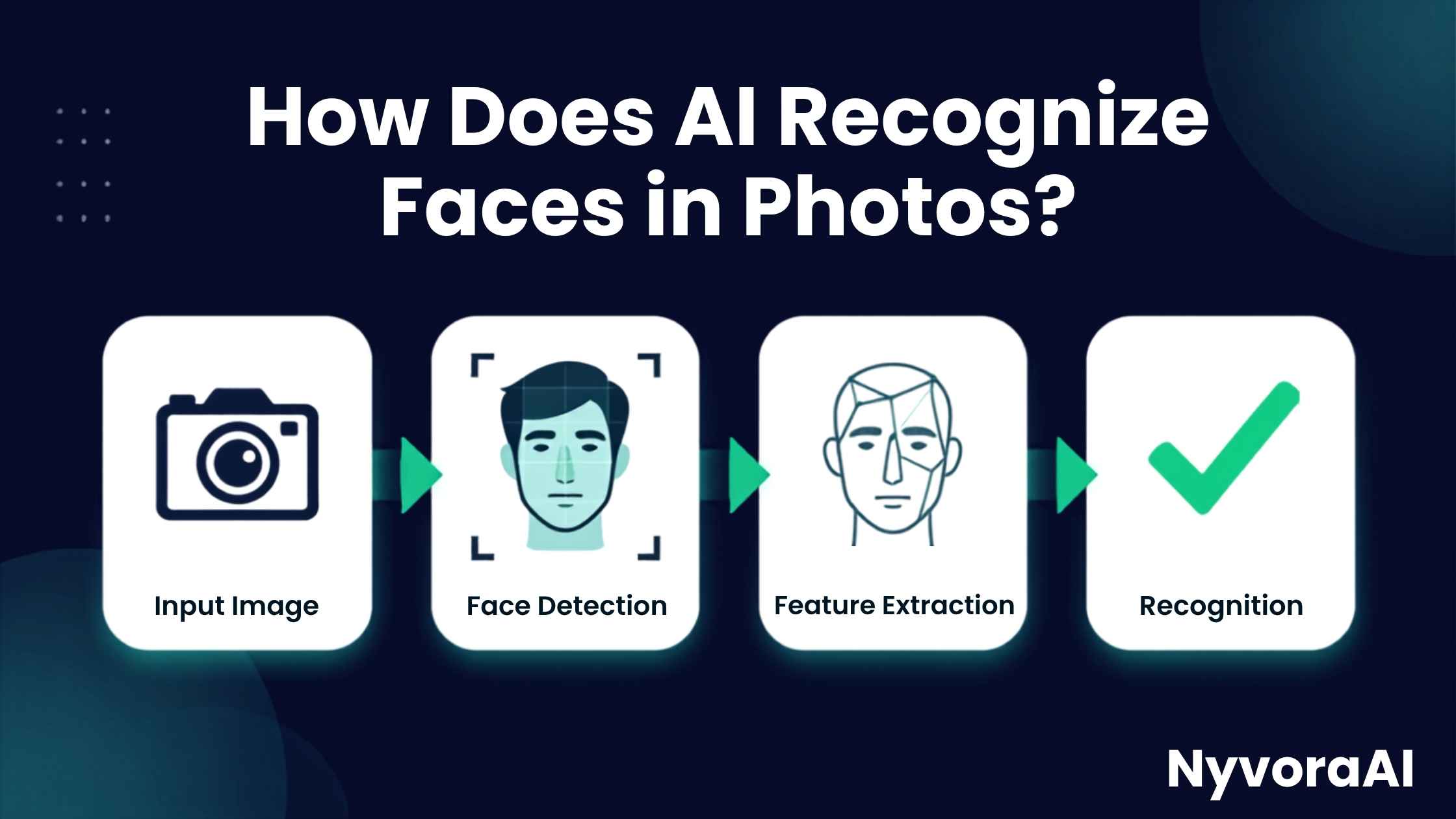
You unlock your phone with a glance. Facebook suggests tagging your friend in a photo. Airport security scans your face. These everyday moments all rely on the same remarkable technology: facial recognition AI. But how does it actually work? How can a machine look at a photo and instantly know who's in it?
The answer is both simpler and more complex than you might think. In this guide, we'll explore how does AI recognize faces in photos without drowning you in technical jargon. We'll walk through the exact steps, from detecting a face in a crowd to matching it against millions of identities, all explained in plain English.
If you're curious about the underlying technology that makes this possible, you might also want to read about what is a transformer model in AI, which is one of the architectures powering modern facial recognition systems.
- Face detection first: AI must first find where the face is located in an image before it can recognize who it belongs to.
- Facial landmarks: The AI identifies key points on your face (eyes, nose, mouth) and measures distances between them.
- Faceprint creation: These measurements are converted into a unique mathematical code called a "faceprint" - like a fingerprint for your face.
- Database matching: The AI compares your faceprint against a database of known faces to find matches.
- Deep learning: Modern systems use neural networks trained on millions of faces to achieve 99%+ accuracy.
01The Simple Answer: It's All About Patterns
At its core, facial recognition AI works by converting your face into numbers. Yes, numbers. Every unique feature of your face—the distance between your eyes, the shape of your cheekbones, the curve of your lips—gets translated into a mathematical formula.
Think of it like this: when you describe someone to a friend, you might say "they have blue eyes, a pointed nose, and curly hair." AI does something similar, but instead of words, it uses precise measurements and mathematical relationships. This collection of measurements becomes your "faceprint"—a unique digital signature that's as individual as your actual fingerprint.
The process involves understanding how AI processes information at a fundamental level. If you want to dive deeper into how AI breaks down information, check out our guide on what is tokenization in AI, which explains how AI converts different types of data into processable formats.
02Step-by-Step: How AI Recognizes Your Face
Let's break down the exact journey from photo to identification:
Face Detection: Finding the Face
Before the AI can recognize WHO is in the photo, it must first detect THAT there's a face in the photo. It scans the image looking for patterns that resemble faces—oval shapes with darker spots where eyes might be, a lighter area for the nose, etc. This is like the AI saying "Ah, there's a face here!"
Facial Landmark Detection: Mapping Key Points
Once a face is detected, the AI identifies 68-100+ specific "landmark points" on the face: the corners of your eyes, the tip of your nose, the edges of your lips, the curve of your jaw. These points create a detailed map of your facial structure.
Face Alignment: Straightening the Face
Faces in photos are rarely perfectly straight—you might be tilted, looking up or down, or at an angle. The AI rotates and scales the face to a standard "frontal view" position, ensuring consistent measurement regardless of how the photo was taken.
Feature Extraction: Creating the Faceprint
This is where the magic happens. The AI measures distances, angles, and ratios between all those landmark points. It analyzes texture, skin tone patterns, and facial contours. All this data gets compressed into a mathematical vector—a string of 128-512 numbers that uniquely represents your face. This is your faceprint.
Database Matching: Finding the Identity
The AI compares your faceprint against a database of known faceprints. It calculates the "distance" between your faceprint and others in the database. If the distance is small enough (meaning the faces are very similar), it declares a match and identifies you.
Confidence Scoring: How Sure Is It?
The AI doesn't just say "yes" or "no"—it provides a confidence score (like 97.3% certain). If the confidence is above a certain threshold, the identification is accepted. If it's too low, the system says "unknown" or asks for verification.
03Interactive Demo: See Facial Recognition in Action
Want to see how facial landmark detection works? Click the buttons below to visualize different aspects of how AI "sees" a face:
Explore how AI detects and maps facial features
04The Brain Behind It: Neural Networks
So how does the AI learn to recognize faces in the first place? The answer is deep learning neural networks—computer systems loosely inspired by the human brain.
Here's how it works: Engineers show the AI millions of labeled photos of faces. "This is John. This is Sarah. This is Michael." The neural network analyzes each face, looking for patterns. It might notice that John has a wider jaw, Sarah has closer-set eyes, Michael has a distinctive nose shape.
Over time, the network learns which features are most important for distinguishing between different people. It's similar to how you learn to recognize your friends—not by measuring their faces with a ruler, but by seeing them enough times that your brain automatically picks up on their unique characteristics.
This training process requires massive amounts of data. If you're curious about why AI needs so much information to learn, read our article on why does AI need so much data to train.
| Component | What It Does | Real-World Analogy |
|---|---|---|
| Convolutional Layers | Detect edges, shapes, and textures in the face | Like noticing someone has sharp cheekbones |
| Pooling Layers | Reduce complexity, focus on important features | Like remembering the overall shape of a face, not every pore |
| Fully Connected Layers | Combine all features to make final identification | Like putting all facial features together to say "That's Sarah!" |
| Activation Functions | Decide which features are important enough to keep | Like your brain ignoring background noise to focus on a face |
05Where You Encounter Facial Recognition Daily
Facial recognition isn't just science fiction—it's woven into your daily life more than you realize:
Phone Security
Apple's Face ID and Android face unlock use 3D facial mapping to secure your device. They project thousands of invisible dots on your face to create a detailed 3D map.
Photo Organization
Google Photos, Apple Photos, and Facebook automatically group photos by person, making it easy to find all pictures of a specific friend or family member.
Banking & Payments
Many banking apps use facial recognition for identity verification before allowing transactions or account access, adding an extra layer of security.
Airport Security
ePassport gates at airports compare your live face to the photo in your passport chip, speeding up border control while maintaining security.
Building Access
Modern offices and apartments use facial recognition instead of keycards, allowing touchless entry for authorized personnel.
Retail & Marketing
Some stores use facial recognition to identify VIP customers, detect shoplifters, or analyze customer demographics and emotions.
The technology behind facial recognition shares similarities with how AI processes language. If you're interested in how AI handles different types of data, our guide on how does AI translation work explores similar pattern-matching concepts applied to language.
06How Accurate Is It? (And When Does It Fail?)
Modern facial recognition AI is incredibly accurate—under ideal conditions. Top systems can achieve 99.8% accuracy on standard benchmarks. But "ideal conditions" is the key phrase there.
Accuracy Factors
Lighting, angle, and image quality dramatically affect accuracy. A well-lit, front-facing photo yields 99%+ accuracy. The same person in poor lighting or at an extreme angle might drop to 70-80% accuracy.
When Facial Recognition Struggles:
Poor Lighting
Shadows can obscure facial features, making it hard for the AI to detect landmarks accurately. Harsh backlighting is particularly problematic.
Extreme Angles
Most systems work best with frontal or slightly angled faces. Profiles (side views) or looking up/down more than 30 degrees reduces accuracy significantly.
Obstructions
Masks, sunglasses, heavy makeup, or even significant facial hair can hide key landmarks the AI needs to identify you.
Low Resolution
Blurry, pixelated, or very small faces in the image don't provide enough detail for accurate feature extraction.
Appearance Changes
Significant weight change, aging, plastic surgery, or even just a new hairstyle can throw off the system if it was trained on old photos.
It's important to understand that facial recognition is different from general automation. If you want to understand the broader landscape of AI capabilities, check out what is the difference between AI and automation.
07The Privacy Debate: Should We Be Worried?
Facial recognition technology raises important privacy and ethical questions that society is still grappling with:
- Surveillance: Governments and corporations can track your movements without consent, creating detailed profiles of your daily life.
- Bias: Studies show some systems are less accurate for women and people of color, potentially leading to false identifications.
- Data Security: If a database of faceprints is hacked, you can't change your face like you can change a password.
- Consent: Many people don't know their faces are being scanned and stored in various databases.
- Misuse: Authoritarian regimes use facial recognition to suppress dissent and track activists.
Many cities and countries are now regulating or banning facial recognition in public spaces. The EU's AI Act and various US state laws are creating frameworks to balance security benefits with privacy rights.
08Frequently Asked Questions
How does AI recognize faces in photos?
What is the difference between face detection and face recognition?
Is facial recognition AI accurate?
How is facial recognition used in everyday life?
Can AI recognize faces in old or low-quality photos?
Can facial recognition be fooled?
Does facial recognition work in the dark?
How many faces can AI recognize at once?

Written by the NyvoraAI Team
We're passionate about making complex AI technology accessible to everyone. This guide breaks down facial recognition into digestible concepts. Questions? We're here to help!